
Security Best Practices
Memority is a central component to ensure the security of an Information System. As such, the features and settings configured within a tenant must be protected in regards with their respective sensitivity.
The following chapters aims to provides best practices to follow when configuring a Memority tenant to lower the risk exposure.
Authentication and access control
Access to technical administration console and APIs
Memority provides its clients with a technical administration console and configuration APIs allowing to configure a tenant. These endpoints grants access to all configuration data, including technical settings, administration profile configuration and provisioning connectors.
By default, access to these endpoints requires natively-managed administration roles that are protected with multi-factor authentication. This rule is enforced by Memority and shouldn’t be tampered with. In case configuration privileges are set by a client on additional administration roles, clients must ensure that access to Memority with such administration roles systematically requires a multi-factor authentication.
Access to sensitive functional features
Memority provides its clients with the capability to configure identity management features allowing to manage any identity attributes, including sensitive data such as personal data, passwords, MFA devices, …
When configuring a feature, clients should systematically assess the sensitivity of the information it will display and the operation it allows to perform. Depending of this assessed sensitivity, clients should enforces the proper authentication level required to access to the feature through the Memority native step-up mechanism.
Clients should also assess, whithin its own security and data protection governance framework, to which categories of users these features will accessible when including the access right to a feature in a Memority administration role.
Provisioning
Technical settings management
Memority allows to manage users accounts across the applications of an Information System. To perform these operations, Memority stores credentials data used to authenticate to each applications. Given the high privilege required within each application, these credentials should be considered highly sensitive and be protected as such.
A best practice is to never configure credentials such as client_secret, passwords or certificates directly in the configuration of a provisioning connector and configure them as settings instead. Also, these settings should be managed directly through the administration portal and not stored in IntelliJ to avoid any leak from the GIT repository. Use a secure password manager to register the password on your workstation.
To store credential data, make sure that the “secret” type is selected when creating such settings.
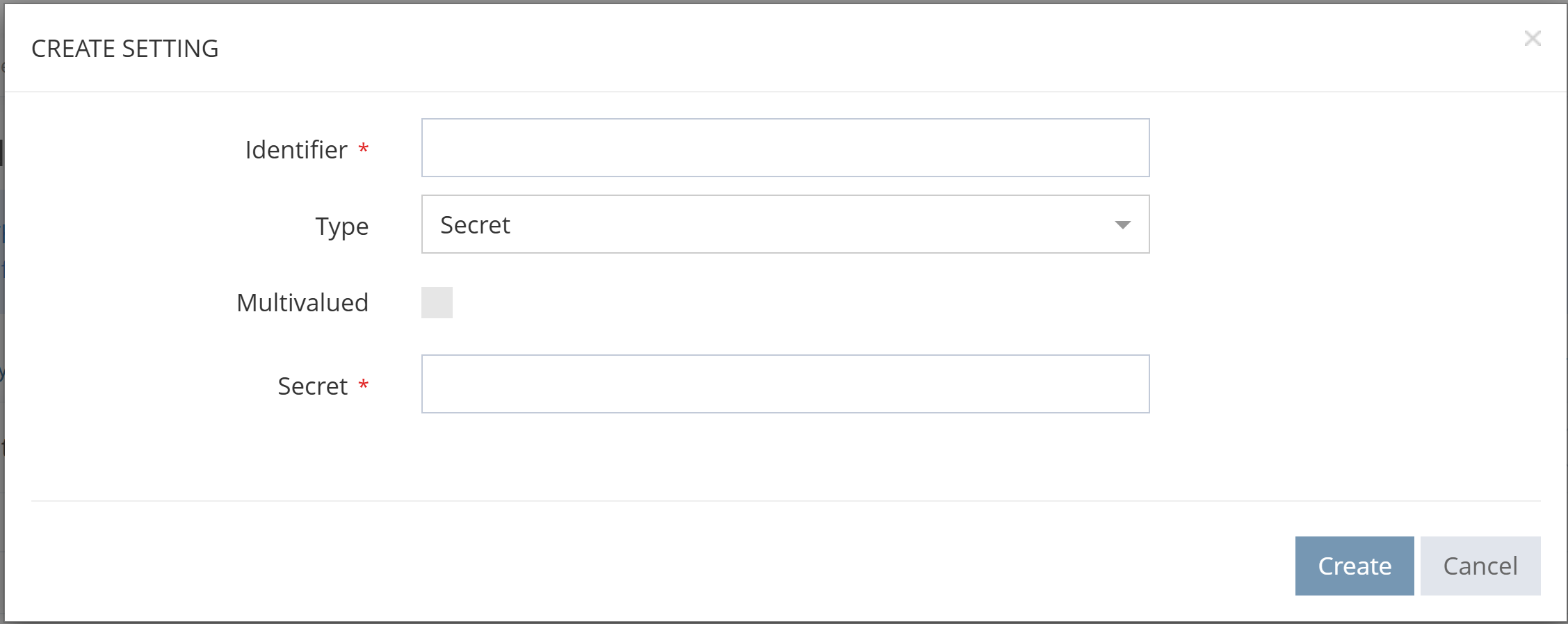
Settings creation within the Memority technical administration portal
Connection protocols to provisioned applications
When provisioning an application, network flow should always relies on secured and encrypted protocols.
For On-Premise application
If an application is not exposed to Internet in a DMZ, provisioning flow should always transit through an IPSec VPN tunnel set between a client Memority tenant and the application or repositories to provision.
When provisioning a LDAP repository, the LDAPS protocol should always be used.
For Cloud/SaaS application
If an application expose REST APIs to perform account management operations, the HTTPS protocol should always be used.
Flux between Memority and application must be authorized through the network whitelist feature.
Password management
Memority allows the management of passwords for identities it manages. To do so, Memority provides a native attribute specially constructed to store such a sensitive data using a non-reversible encryption mechanism.
User passwords in Memority should always be stored within this native attribute to ensure a state-of-the-art protection of this data. User passwords should never be stored in client-configured attributes even with the “Encrypted” and “Secret” option activated.