Self-Driven Dashboard Widget
The Self-Driven Dashboard Widget gives functional administrators full control over their activity overview. From the Memority interface, each user builds and personalizes a dashboard that reflects their specific needs.
What You Can Do With This Widget
Build a Customized, Role-Based Dashboard
Configure a dashboard that reflects your priorities by selecting the KPIs and reporting widgets that align with your specific role. Get a consolidated, at-a-glance view of the data that matters most to you.
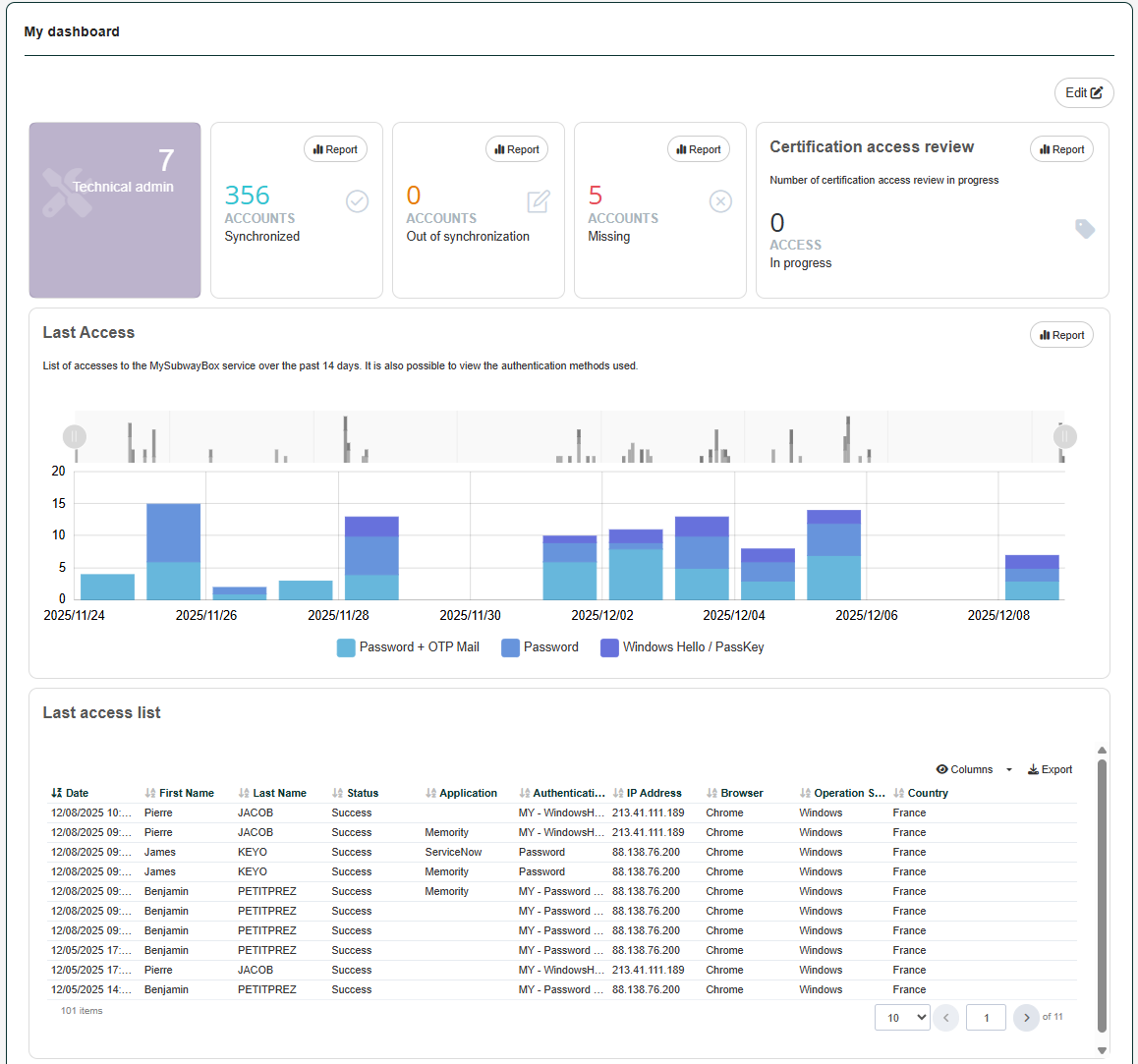
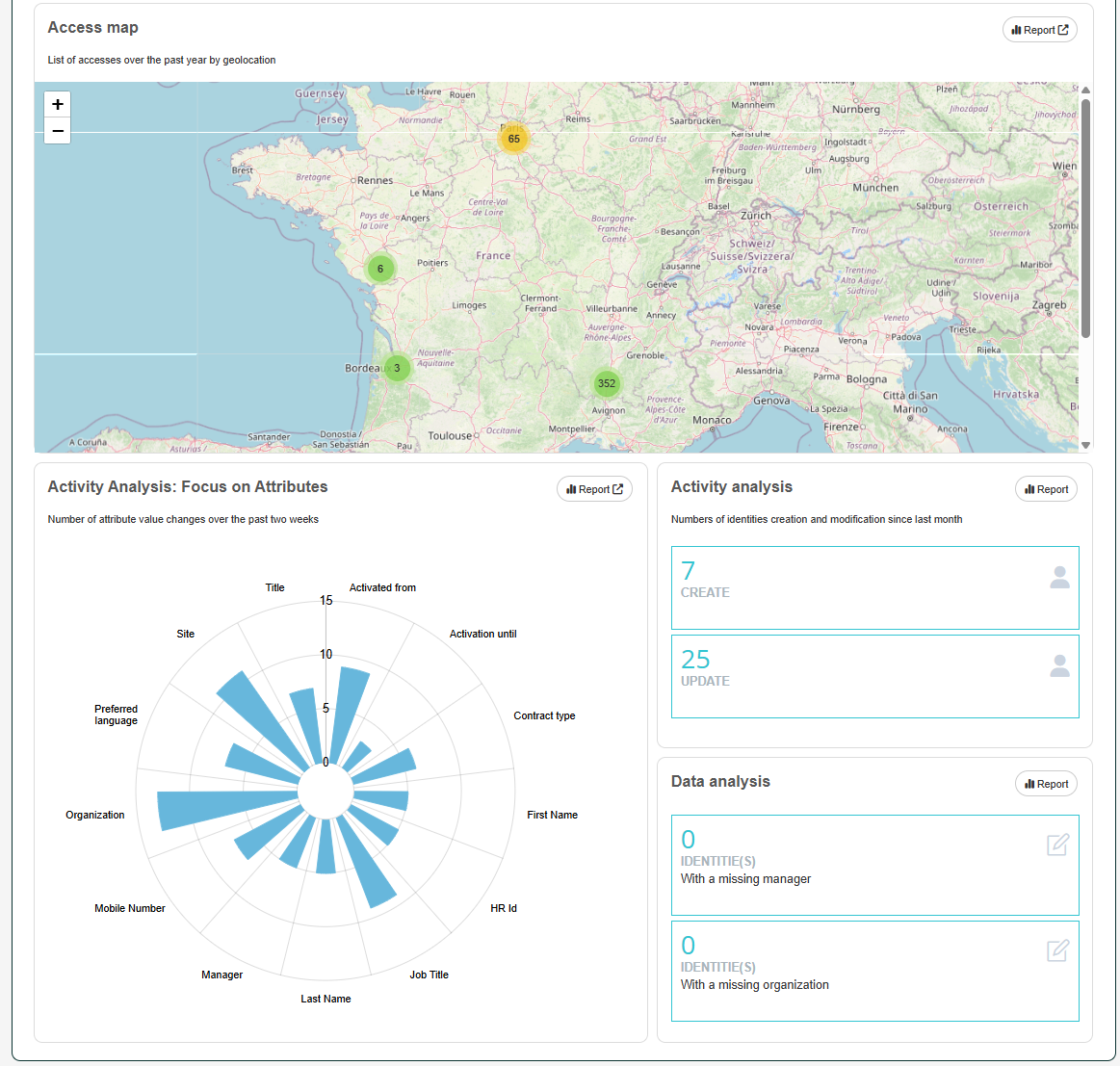
Centralize Multiple Reports
The widget acts as a container of hosting several widgets at once. By grouping them into visual blocks on your dashboard, you can bring all relevant KPIs together and spot patterns faster.
Add, remove or reposition widgets with a simple drag-and-drop interface. The layout automatically adapts to your screen size, ensuring a clean and responsive experience on any device.
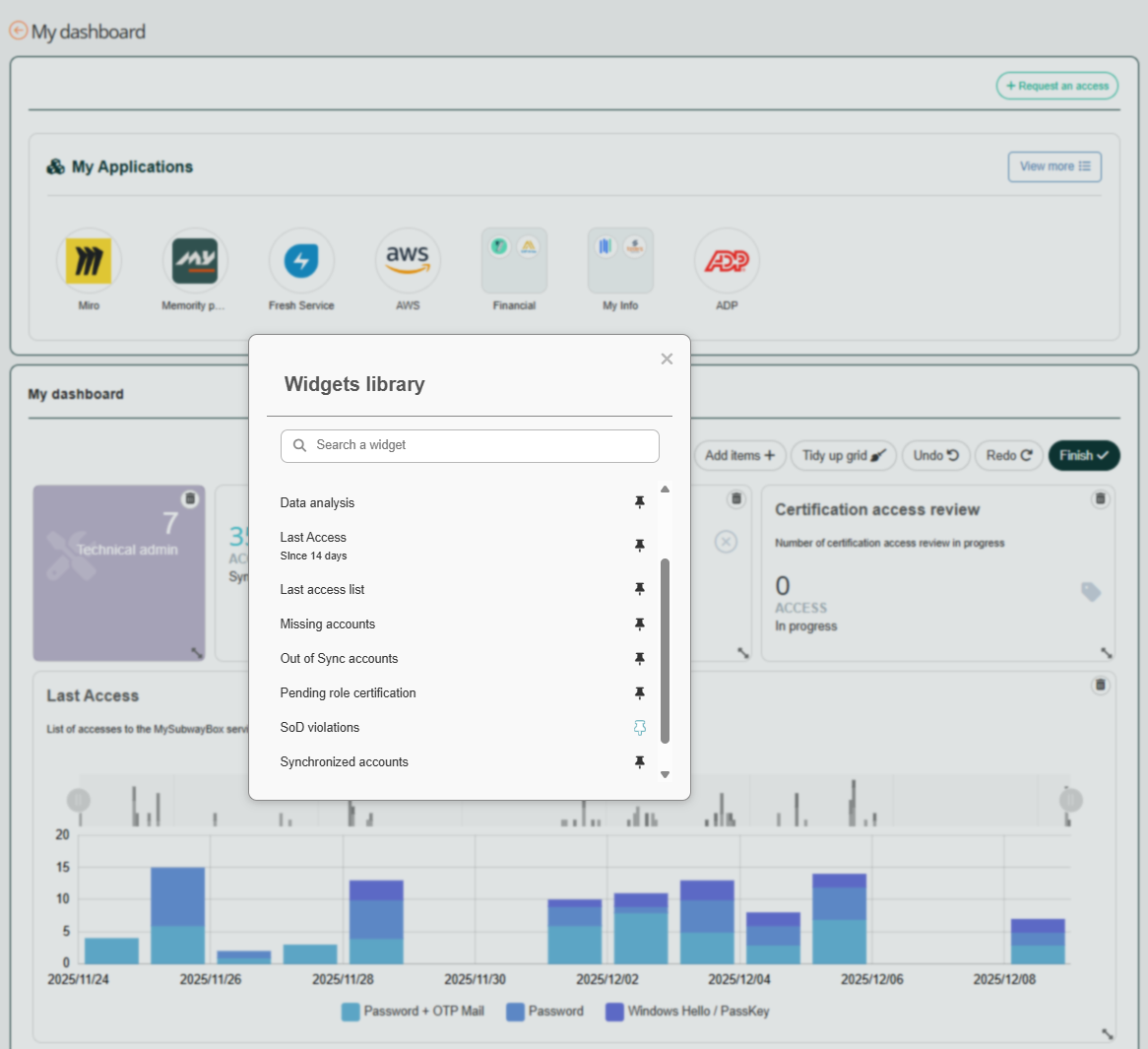
Customize Each Widget
Fine-tune widget configuration for maximum clarity and actionability. You can:
Rename widgets to match your internal terminology.
Add captions for context.
Add an action button (e.g., View Report) to jump directly to a specific report or feature
Get Instant Access to Existing Reports
No complex setup required. The widget links directly to the reports already configured in your tenant, making all current KPIs instantly accessible from your custom dashboard.
This widget brings the KPIs and data you consider important onto a single, customizable page. With the Custom Dashboard Widget, build a dashboard view that supports your role and adjust it as your needs evolve.