
Federation
Definition
A Federation is a configuration allowing an application to be integrated with Memority using standard federation protocols such as SAML, WSFederation, OAuth2 or OpenID Connect.
A Federation configuration applies on a Resource (an application in this context).
Configuration
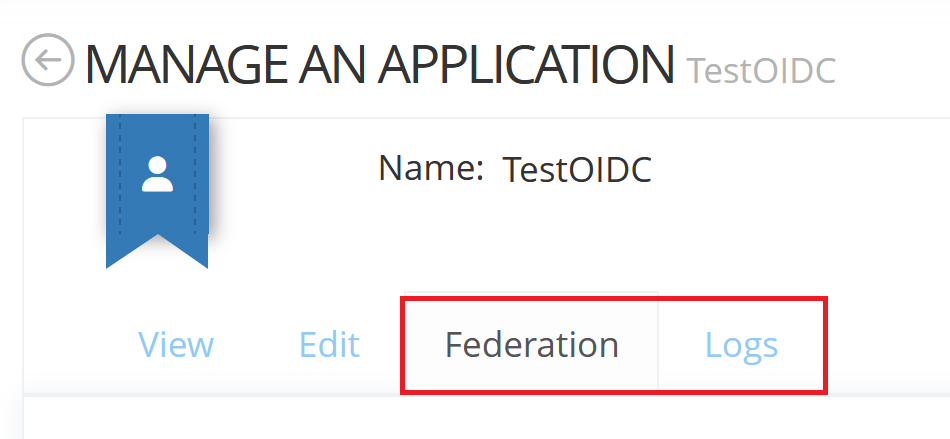
The following widgets must be configured to be able to configure the Federation and see the associated logs :
Federation Widget : to see the Federation tab on a Resource allowing you to do the Federation configuration
Federation Logs Widget : to see the Logs tab on a Resource allowing you to see debug logs associated to this Federation configuration
Usage
Create and update a Federation
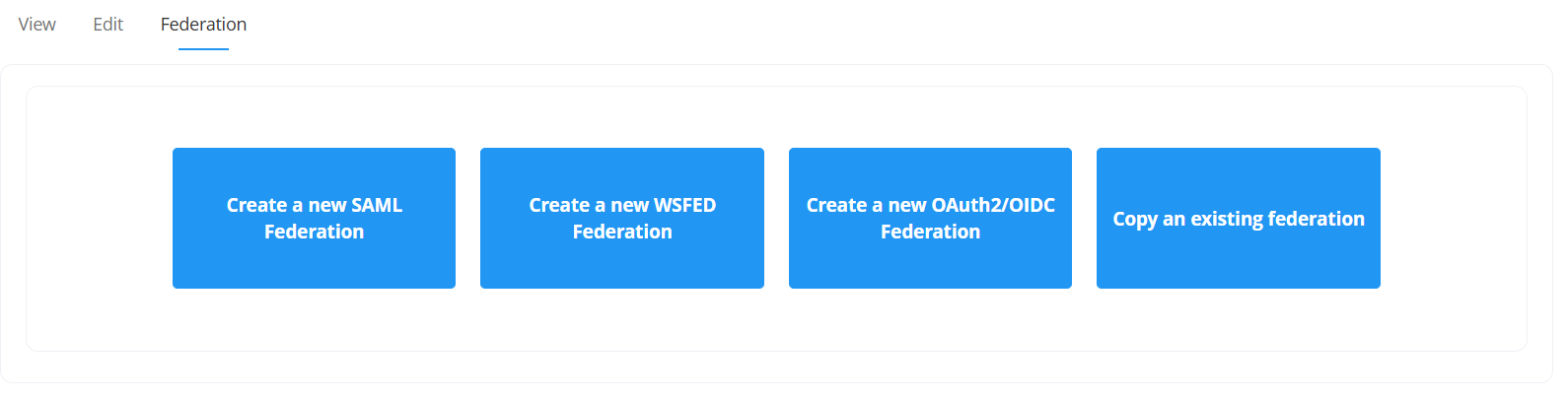
You can create a Federation configuration on a Resource by clicking on the Create button of the desired type of federation (SAML, WSFED or OAuth2/OIDC) in the “Federation” tab, or by duplicating an existing Federation configuration.
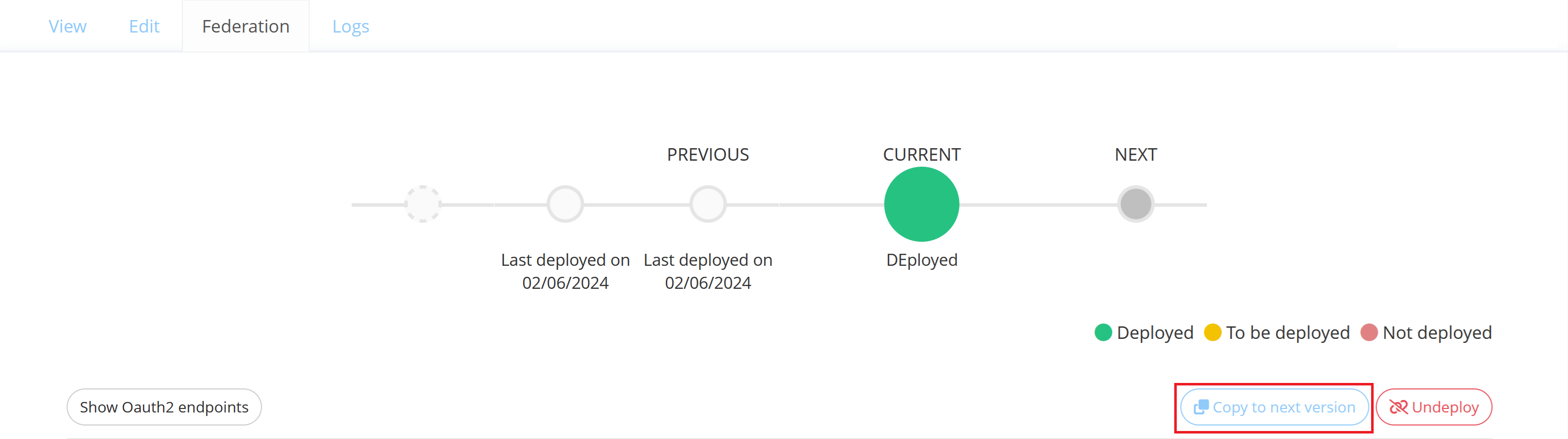
You can update a Federation configuration on a Resource in the “Federation” tab by clicking on the "Copy to next version" button.
SAML Federation
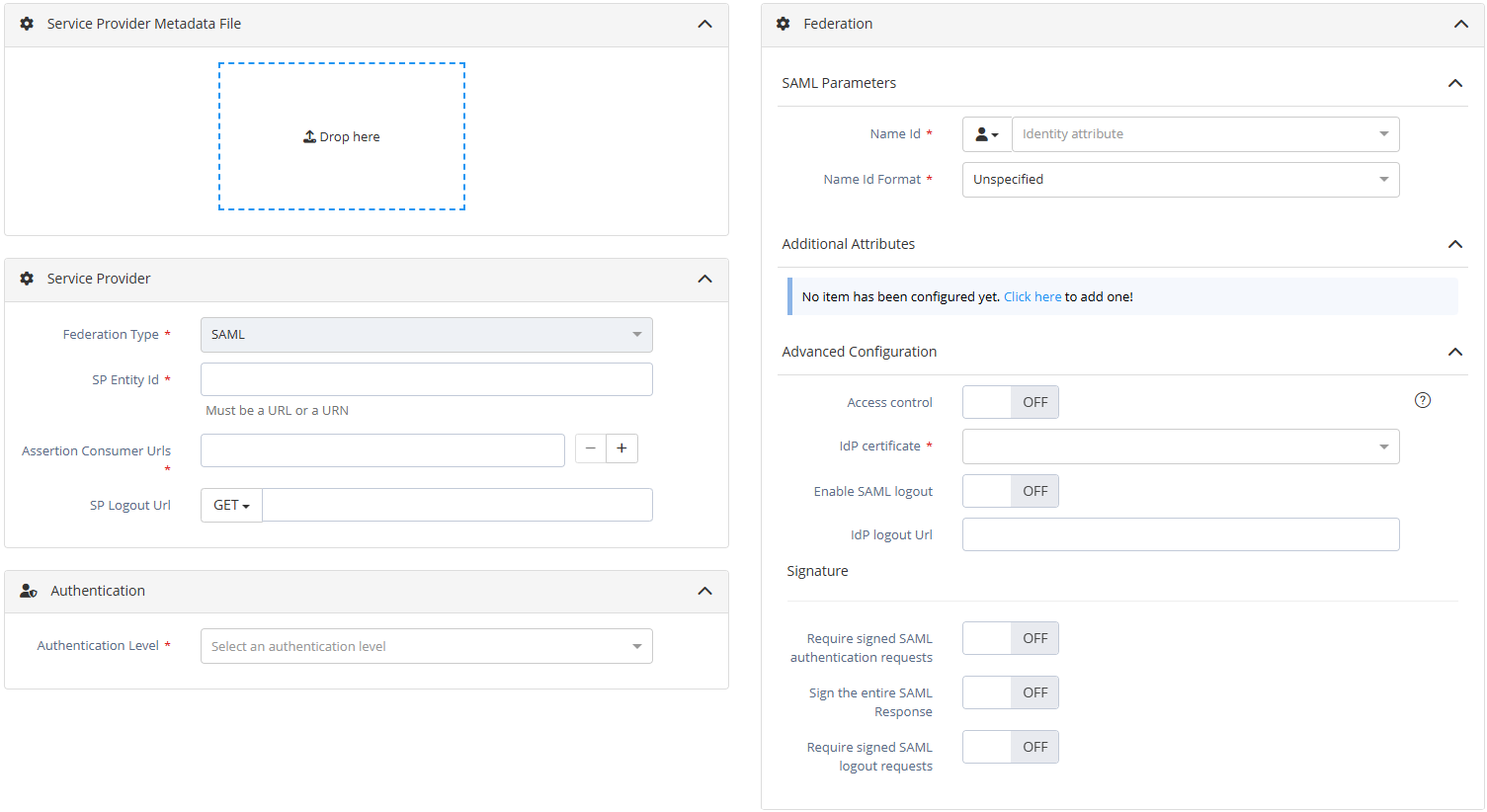
Configuration screen of a SAML federation
The following properties should be filled for a Federation of type SAML :
Property name | Mandatory | Description | Comments |
|---|---|---|---|
Service Provider Metadata File | NO | Metadata file of the Service Provider. | If provided, data contained in the metadata file will be used to pre-fill some Federation properties (SP entityID, ACS URL, …). |
SP Entity Id | YES | The EntityID of the Service Provider. | May be imposed by the Service Provider. |
Assertion Consumer Urls | YES | The SP Url that will consume the SAML assertion. | Several Assertion Consumer Urls can be configured. It is recommanded that these URLs be in HTTPS. |
SP Logout Url | YES when “Enable SAML Logout” is enabled. | The logout URL is the application endpoint that receives logout responses during a SAML Single Logout use case. The binding (GET or POST) determines how the requests/responses are transmitted. | - |
Authentication Level | YES | The authentication level required to access the application. | Only authentication levels declared in settings are available in the list. |
Name Id | YES | Value sent as NameID in the SAML assertion. | Can be a user attribute, an Attribute Function or a constant. Click on the icon to select the good type. |
Name Id Format | YES | Format of the NameID sent in the SAML assertion. | Choose the one supported by the Service Provider. |
Additional attributes | NO | User attributes to be sent in the SAML assertion. | Can be user attributes, Attribute Functions or constants. Click on the icon to select the good type. |
Access control | NO | When enabled, only users having the right app.access.<resource_id> can access the application. | Disabled by default. |
Enable SAML logout | NO | When enabled, SAML logout requests/responses can be used to logged out users. | Disabled by default. |
Idp logout Url | NO | Customized IdP logout Url used to terminate the user SSO session. | Default value is “https:// |
Idp Certificate | YES | Certificate used to sign the SAML assertion sent by the IdP. | Only certificates configured for the tenant are available in the list. A default signing certificate for SAML federations can be declared in settings. If the certificate has expired, an alert message is displayed at the top of the screen, as shown below: 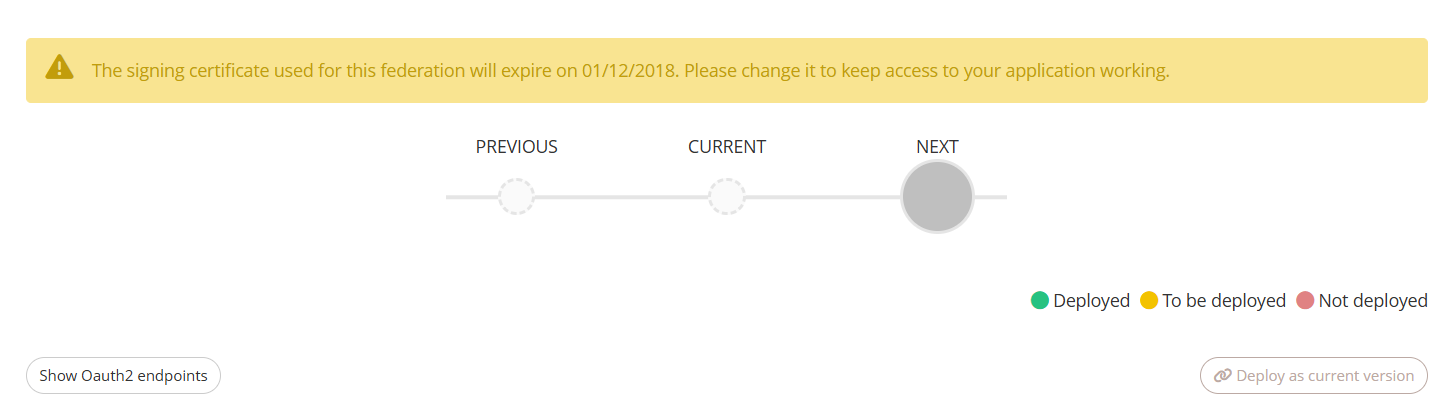 The expiration period can be configured in the settings. |
Sign the SAML authentication request | NO | Indicate if the SAML request signature is required and must be verified. | Disabled by default. |
Sign the entire SAML Response | NO | To sign the entire SAML response and not only the SAML assertion. | Disabled by default. |
Sign the SAML logout request/response | NO | When enabled, SAML logout requests and reponses will be signed. | Disabled by default. |
SP signing certificate | YES | Appears when “Sign the SAML authentication request” or/and “Sign the SAML logout request/response” are set to ON. Certificate public key of the Service Provider in PEM format. Used to verify the SAML request signature. | Not displayed by default. 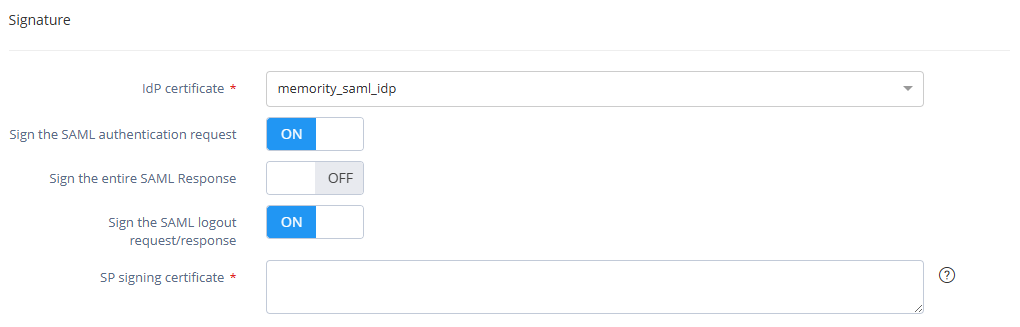 |

WSFED Federation
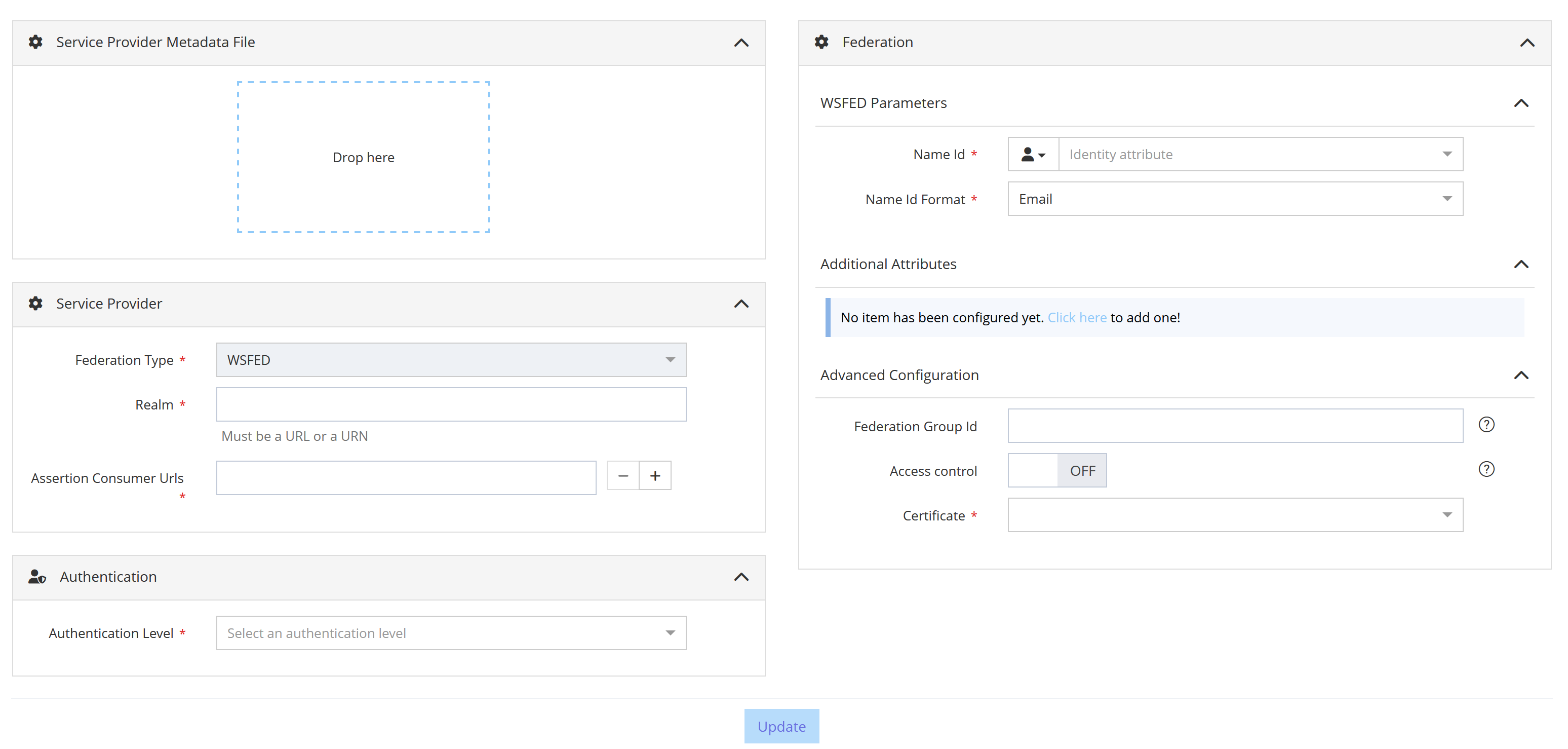
Configuration screen of a WSFed Federation
The following properties should be filled for a Federation of type WS-Federation :
Property name | Mandatory | Description | Comments |
|---|---|---|---|
Service Provider Metadata File | NO | Metadata file of the Service Provider. | If provided, data contained in the metadata file will be used to pre-fill some Federation properties (SP entityID, ACS URL, …). |
Realm | YES | Unique identifier of the Relying Party. | May be imposed by the Relying Party. |
Assertion Consumer Urls | YES | The SP Url that will consume the WSFederation assertion. | Several Assertion Consumer Urls can be configured. It is recommanded that these URLs be in HTTPS. |
Authentication Level | YES | The authentication level required to access the application. | Only authentication levels declared in settings are available in the list. |
Name Id | YES | Value sent as NameID in the WSFederation assertion. | Can be a user attribute, an Attribute Function or a constant. Click on the icon to select the good type. |
Name Id Format | YES | Format of the NameID sent in the WSFederation assertion. | Choose the one supported by the Service Provider. |
Additional attributes | NO | User attributes to be sent in the WSFederation assertion. | Can be user attributes, Attribute Functions or constants. Click on the icon to select the good type. |
Access control | NO | When enabled, only users having the right app.access.<resource_id> can access the application. | Disabled by default. |
Certificate | YES | Certificate used to sign the WSFederation assertion. | Only certificates configured for the tenant are available in the list. A default signing certificate for SAML federations can be declared in settings. If the certificate has expired, an alert message is displayed at the top of the screen, as shown below: 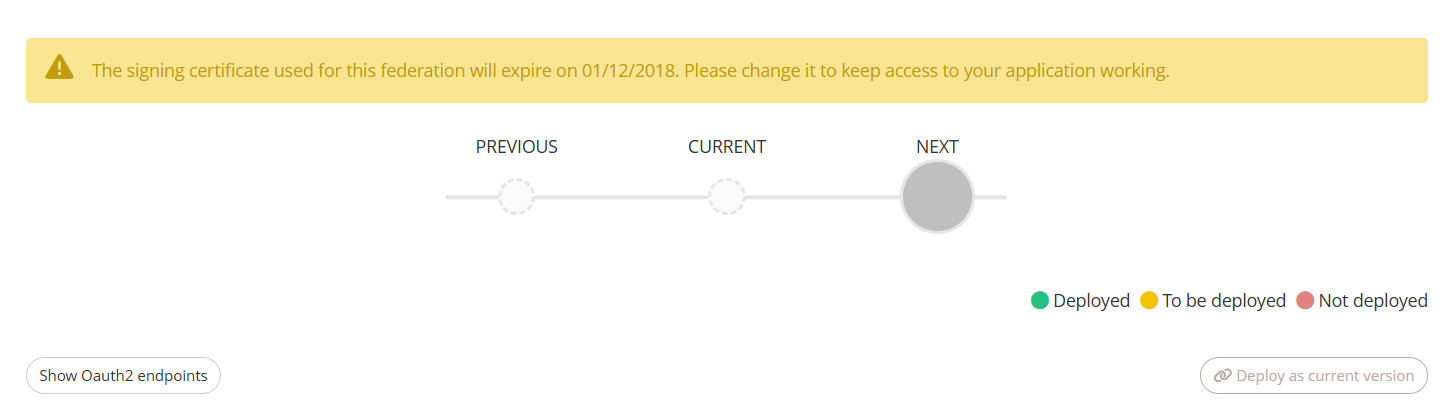 The expiration period can be configured in the settings. |
OAuth2/OIDC Federation
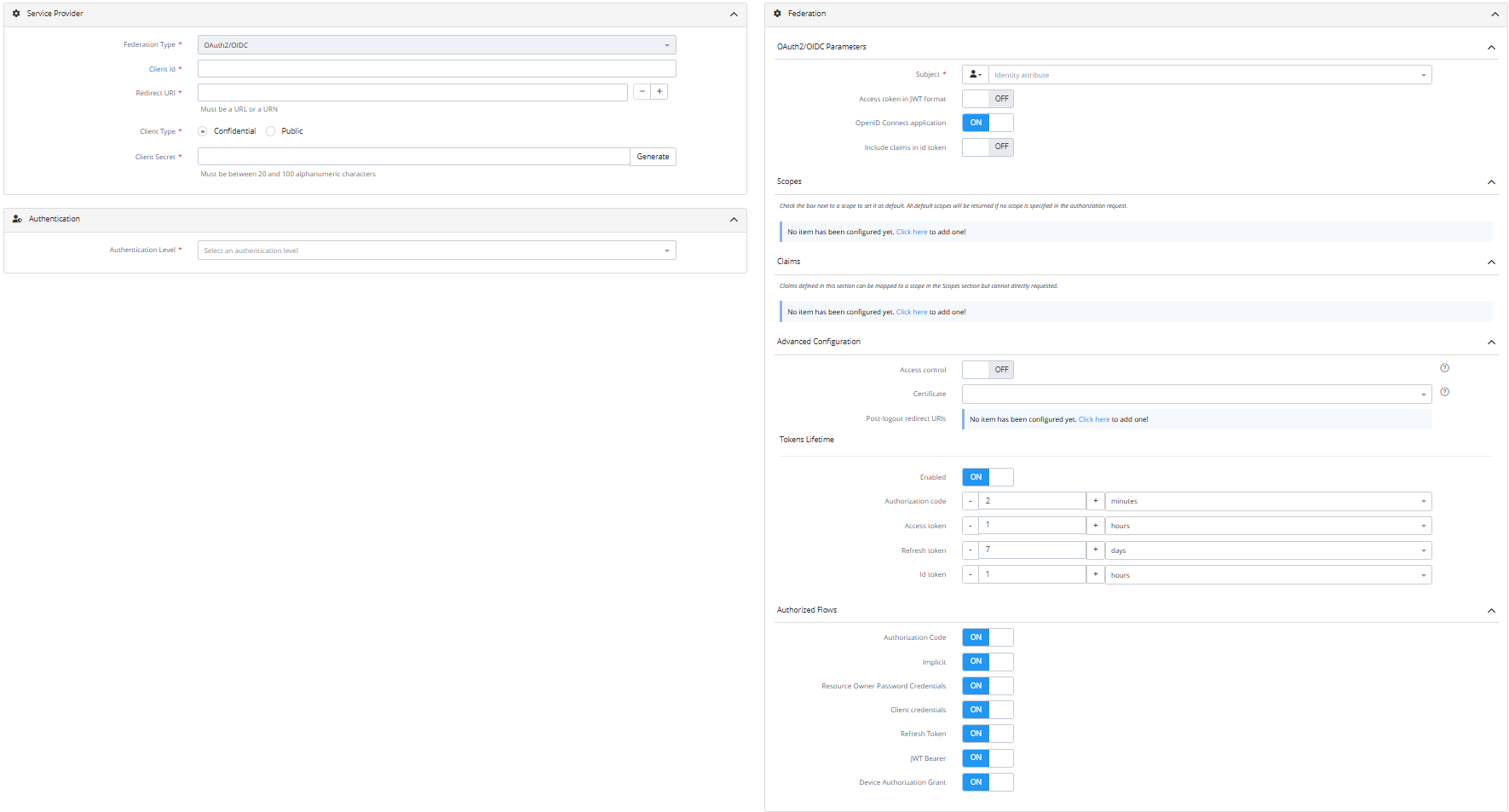
Configuration screen of an Oauth2/OIDC federation
The following properties should be filled for a Federation of type OAuth2/OIDC :
Property name | Mandatory | Description | Comments |
|---|---|---|---|
Client Id | YES | Unique identifier of the OAuth2/OIDC client application. | May be imposed by the client application. |
Redirect Uri | YES | The application Uri that will receive the OAuth2/OIDC tokens. Should be an URL or an URN. | - |
Client Type | YES | The OAuth2/OIDC client type. | Must be |
Client Secret | YES | The client secret associated to the Client Id. | Only required for |
Authentication Level | YES | The authentication level required to access the client application. | Only authentication levels declared in settings are available in the list. |
Subject | YES | Attribute value sent as Subject in the id token. Only available for an OpenID Connect application. | Can be a user attribute, an Attribute Function or a constant. Click on the icon to select the good type. |
Access token in JWT format | NO | When enabled, the access token generated for the client will be in JWT format | - |
Includes claims in JWT access token | NO | When enabled, the user claims will be added in the JWT access token | Can only be enabled if “Access token in JWT format” is enabled |
OpenID Connect Application | NO | Indicates if the application is an OpenID Connect application. | Set it to ON for an OpenID Connect application and to OFF for a simple OAuth2 application. |
Include claims in id token | NO | To include all configured scopes in the id token. Only available for an OpenID Connect application. | - |
Scopes | NO | User attributes returned as scopes. Check the box next to the scope to define it as default scope. Default scopes are returned in the authorization response if no scope is requested by the application. | Can be user attributes, Attribute Functions, constants or claims. Click on the icon to select the good type. |
Claims | NO | Claims that can be associated with a scope. | Can be user attributes, Attribute Functions or static value. Click on the icon to select the good type. |
Access control | NO | When enabled, only users having the right app.access.<resource_id> can access the application. | Disabled by default. |
Certificate | NO | Certificate used to sign JWT tokens. | Only certificates configured for the tenant are available in the list. The default signing certificate is the one configured on the OAuth2 global configuration in the Memority admin portal. If the certificate has expired, an alert message is displayed at the top of the screen, as shown below: The expiration period can be configured in the settings. |
Post logout redirect Uris | NO | Configures the authorized URIs to which the user is redirected after logout. Should be an URL or an URN | - |
Tokens Lifetime - Enabled | NO | When enabled, the token lifetime toggle displays configuration fields for OAuth2/OIDC tokens, allowing to define custom expiration durations. | - |
Tokens Lifetime - Access Token | NO | Configuration related to access token. | - |
Tokens Lifetime - Refresh Token | NO | Configuration related to refresh token. | Not displayed when refresh tokens are disabled for the tenant in the OAuth2 configuration within the admin portal. |
Tokens Lifetime - Authorization Code | NO | Configuration related to authorization token. | - |
Tokens Lifetime - Id Token | NO | Configuration related to id token. | Not displayed when "OpenID Connect application" is set to OFF. |
Authorized Flows - Authorization Code | NO | Enable the Authorization Code flow for this application. | Enabled by default. |
Authorized Flows - Implicit | NO | Enable the Implicit flow for this application. | Enabled by default. |
Authorized Flows - Resource Owner Password Credentials | NO | Enable the Resource Owner Password Credentials flow for this application. | Enabled by default. |
Authorized Flows - Client credentials | NO | Enable the Client credentials flow for this application. | Enabled by default. |
Authorized Flows - Refresh Token | NO | Enable the Refresh Token flow for this application. | Enabled by default. |
Authorized Flows - JWT Bearer | NO | Enable the JWT Bearer flow for this application. | Enabled by default. |
Authorized Flows - Device Authorization Grant | NO | Enable the Device Authorization Grant for this application. | Enabled by default. |
Copy an existing Federation
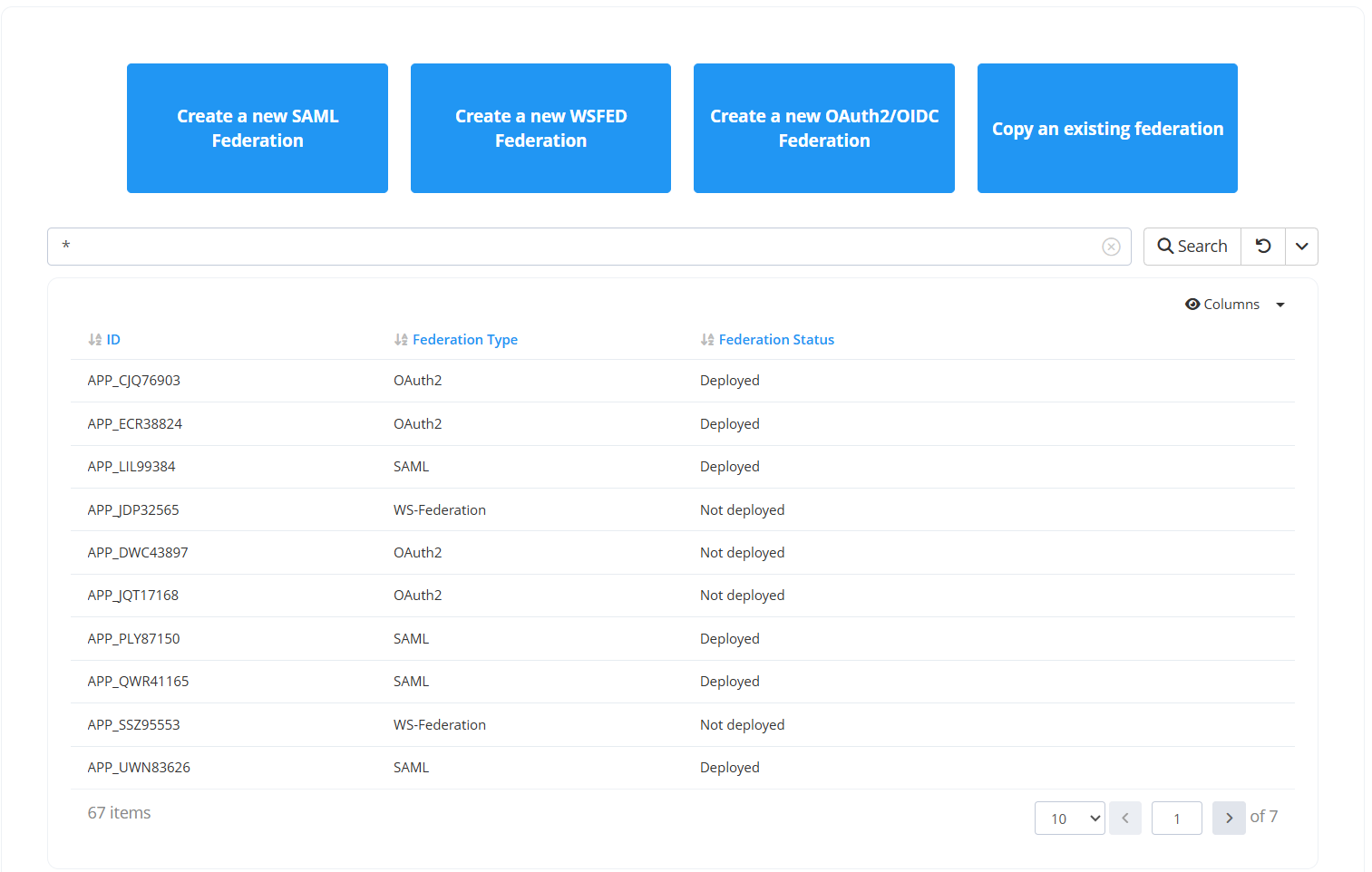
You can duplicate an existing federation configuration by clicking on the “Copy Existing Federation” button in the “Federation” tab. A list of Resources with configured federation settings is displayed. Choose the Resource whose federation configuration you want to copy.
After the copy operation, the federation configuration form is displayed with the copied settings already filled in. Some properties are not copied and must be completed manually.
Copy a SAML Federation
The following properties should be filled for a Federation of type SAML :
SP Entity Id
ACS URLs
SP Logout URL if “Enable SAML Logout” is enabled
Copy a WSFED Federation
The following properties should be filled for a Federation of type WSFED :
Realm
ACS URLs
Copy an OAuth2/OIDC Federation
The following properties should be filled for a Federation of type OAuth2/OIDC :
Client ID
Client secret
Redirect URIs
Post logout Redirect URIs
Read a Federation
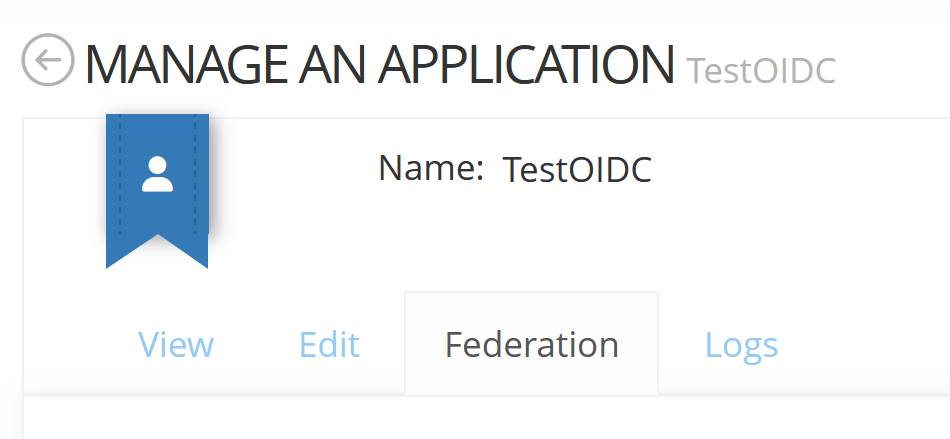
You can consult a Federation on a Resource by clicking on the "Federation" tab.
Undeploy a Federation
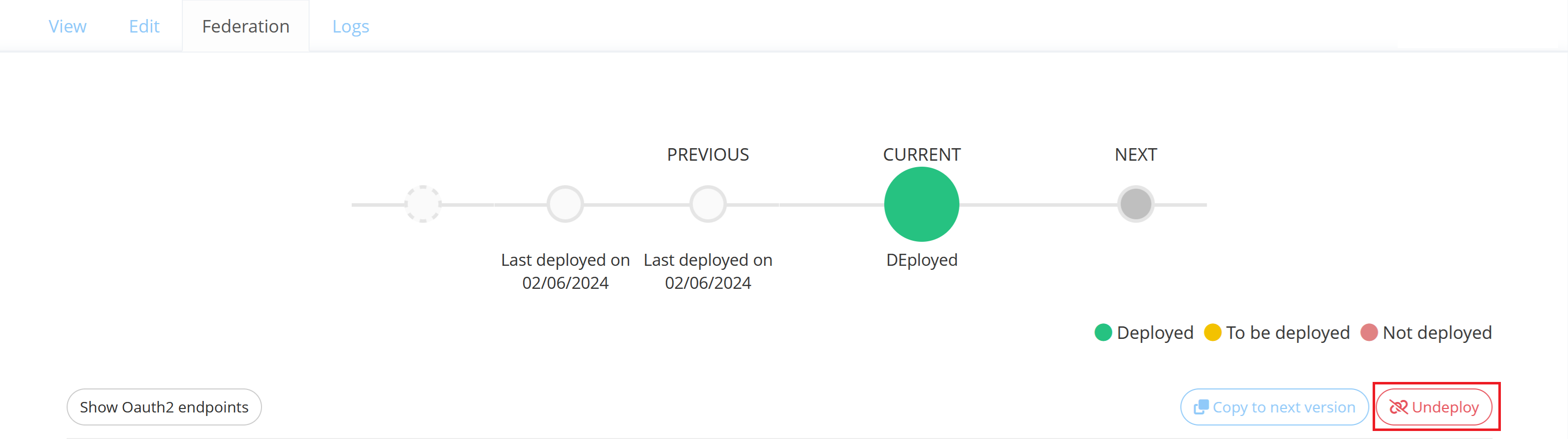
You can undeploy a Federation on a Resource by clicking on the "Undeploy" button in the “Federation” tab.
When undeployed, the Federation is still visible in the Memority portal but can not be used anymore.
Understand Federation statuses
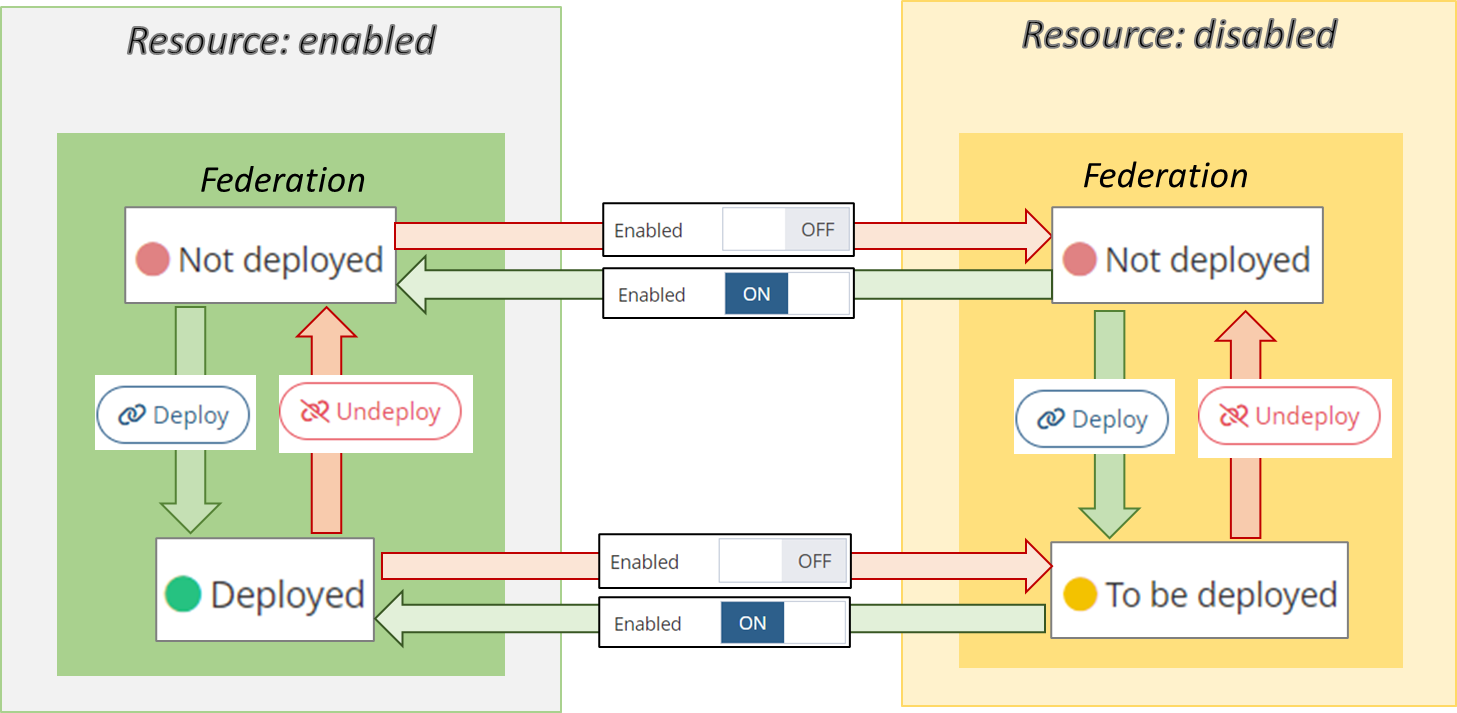
A Federation can have 3 different statuses that apply to its CURRENT Version :
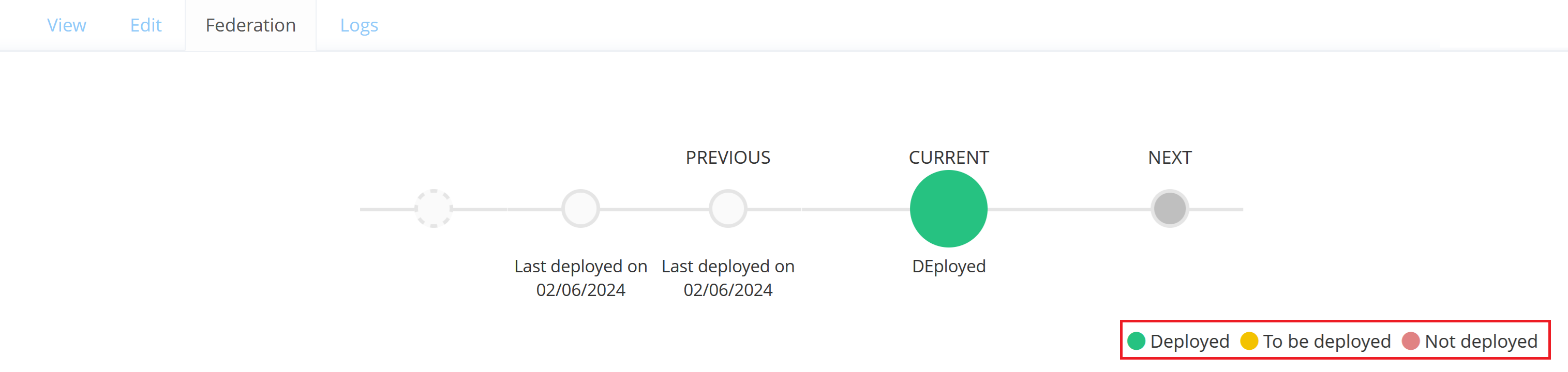
Deployed : The Federation of an enabled Resource is deployed on Memority and is ready to use.
To be deployed : The Federation is not deployed on Memority as the Resource is disabled. Will automatically become deployed after enabling the Resource.
Not deployed : The Federation is not deployed on Memority and cannot be used.
The following diagram explains how a Federation can reach these 3 statuses :
Get the Memority configuration for a Federation
OAuth2/OIDC Federation
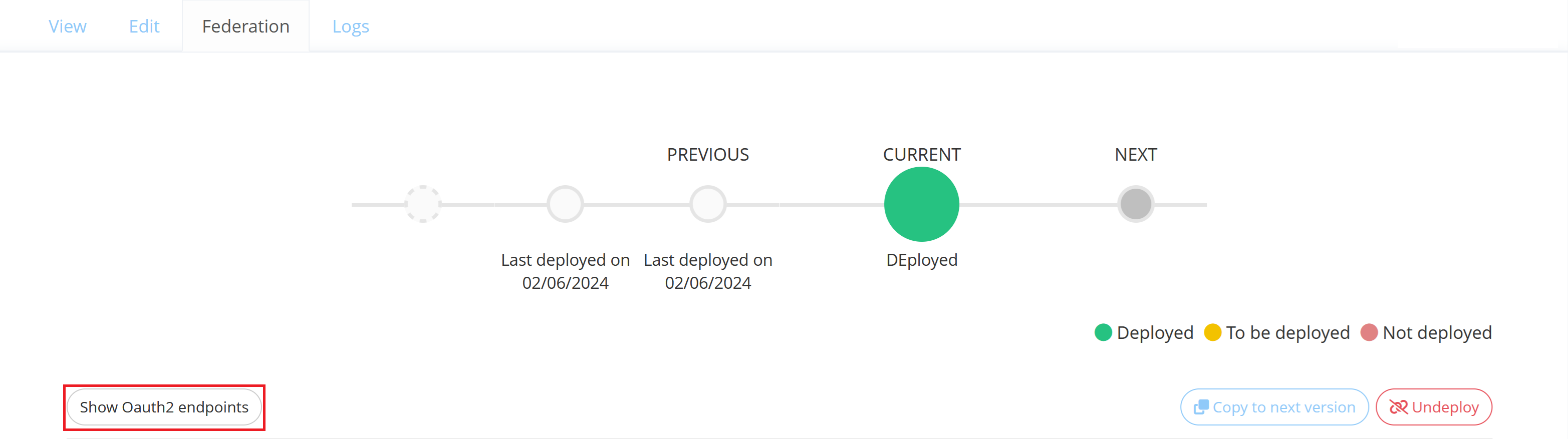
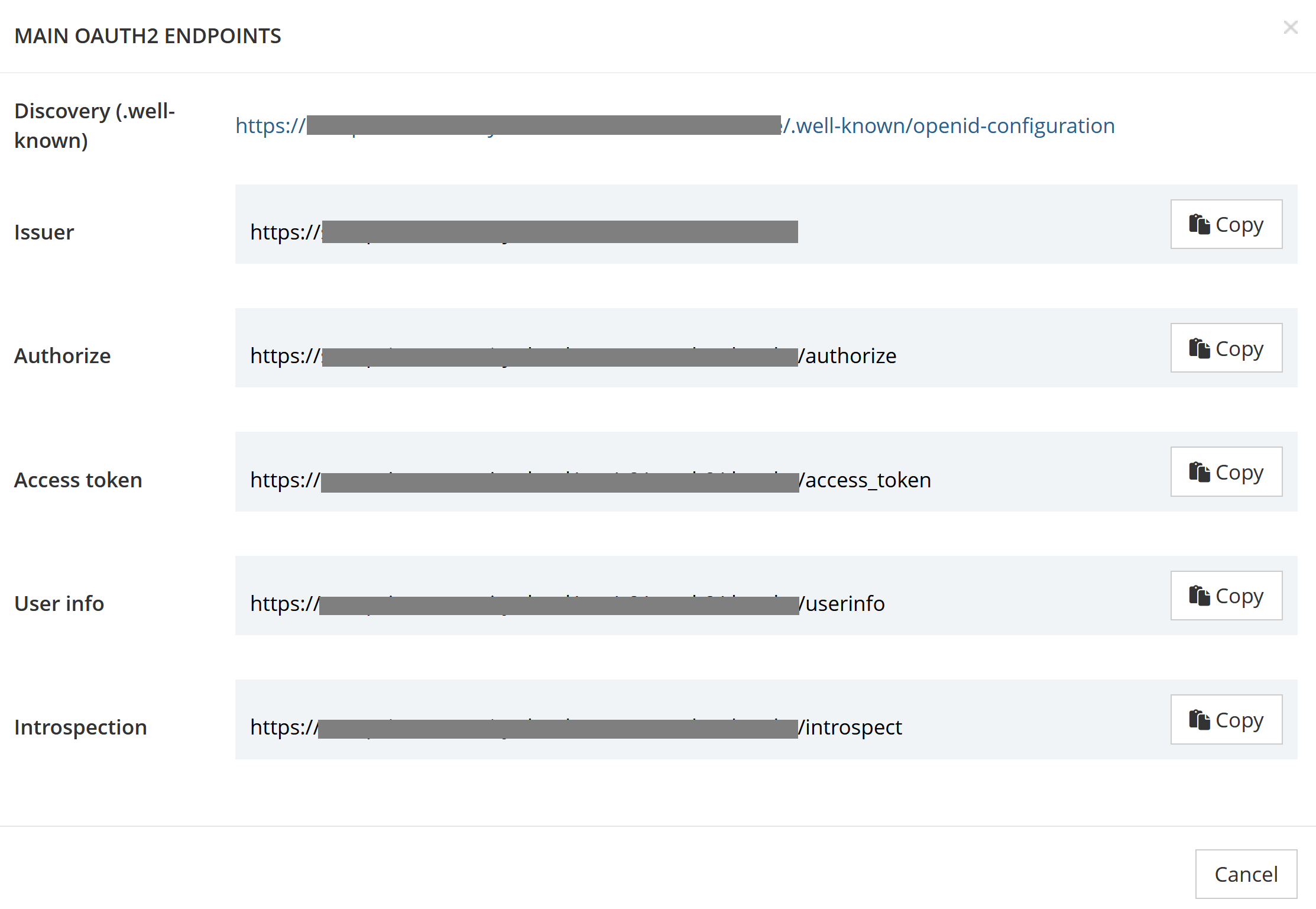
You can view Memority OAuth2/OpenID Connect endpoints by clicking on the “Show oauth2 endpoints” button on the OAuth2/OIDC Federation.
SAML/WSFED Federation
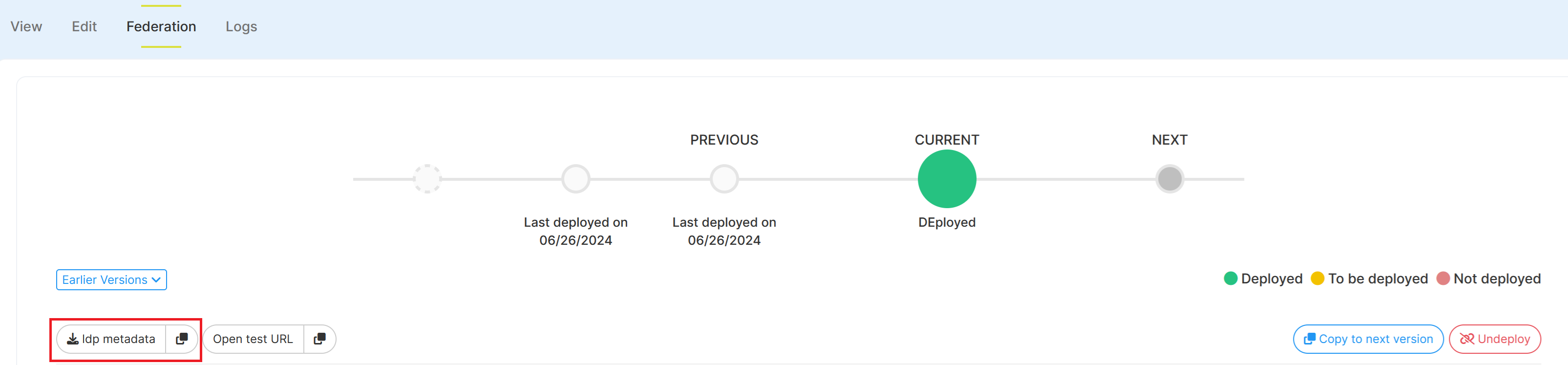
You can get the Memority IdP metadata on the SAML/WSFED Federation :
by downloading the metadata file when clicking on the left part of the “Idp metadata” button
by copying the IdP metadata URL when clicking on the rigth part of the “Idp metadata” button (copy icon)
Test the configuration
Only for SAML and WSFederation applications.
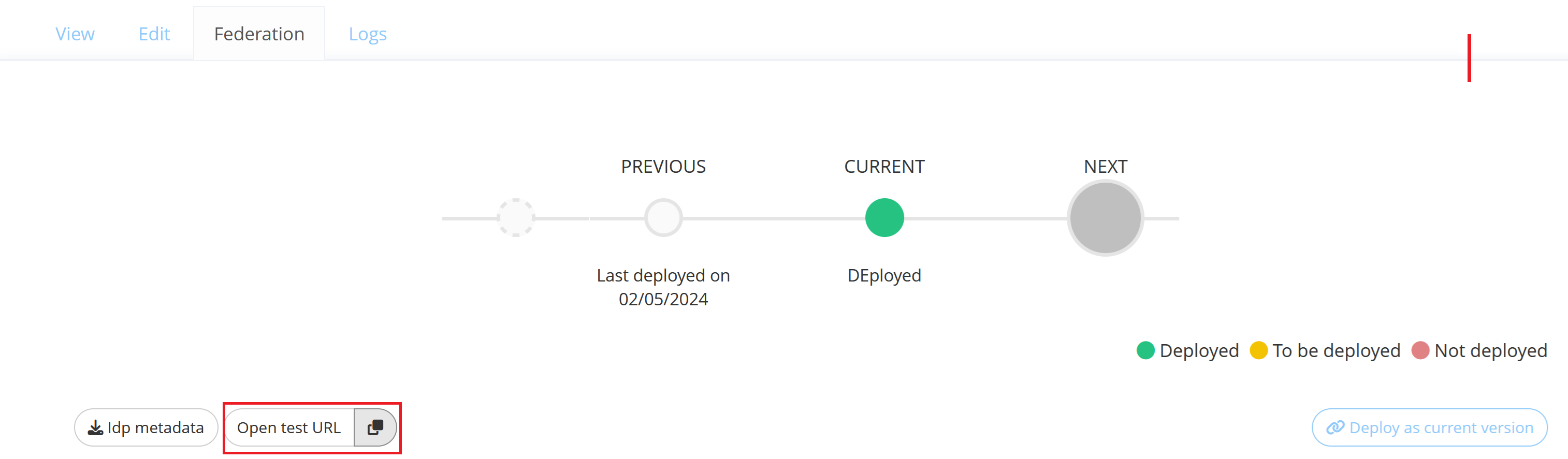
Once the federation configuration is successfully deployed, you can test it in “IdP-initiated” mode by clicking on the “Open test URL” button.
Debug logs
Debug logs related to a Federation configuration are available through the Logs tab on the Resource.
See Federation Logs Widget to configure federation debug logs.
Reporting
All Federations configurations are provisioned to a Federation Mongo collection.
It allows you to see all modifications done on the Federation or to identify all applications using a specific Attributes Function for example.
Read Next
- Access Attributes
Access Attributes Definitions define attributes that can be used for authentication and in application’s federations.
- Attribute Functions
Attribute Functions allow you to evaluate and manipulate attributes to be sent to applications through a Federation.
- Federation Logs Widget
The Federation Logs Widget allows to view logs related to a Federation.
- Federation Widget
Allows to manage or display the Federation corresponding to an application Resource.
- OAuth2
OAuth2 configuration allows to define some global parameters that will apply to all OAuth2/OpenID Connect federations of the tenant.
- Reporting Object Configurations
Reporting Objects define how one may interact with an underlying (built-in or custom) Document Collection.