
Technical Dashboard Widget
Definition
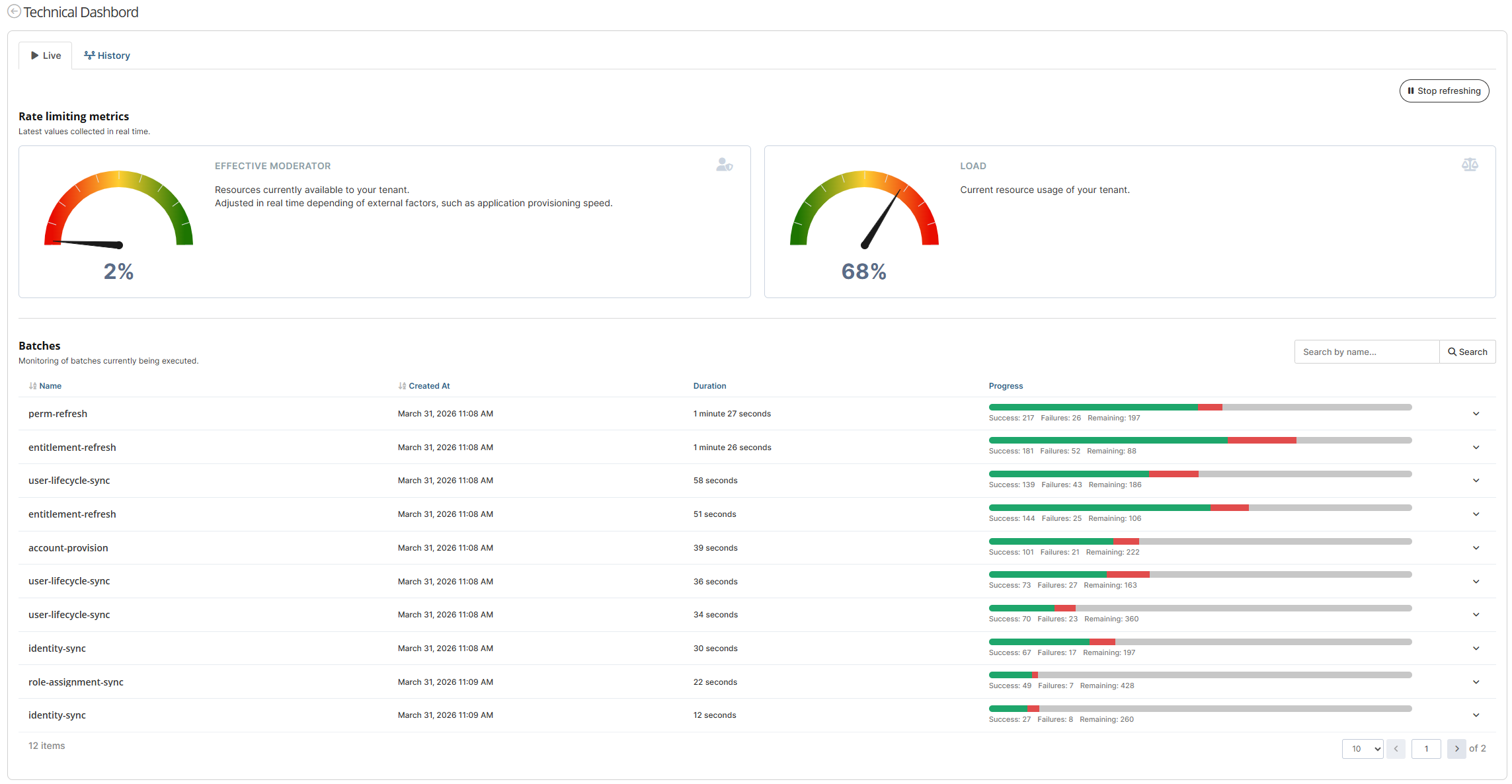
The Technical Dashboard is a widget that allows administrators to view all distributed batches in a technical overview.
It is a Self-only active widget. Its purpose is to monitor the platform's status.
Configuration
Properties
Property name | Type | Mandatory | Description | Values (default value in bold) |
|---|---|---|---|---|
counterColor |
| NO | A Metronic theme CSS color for the counter number (ex: “dark”) or a HEX color (ex: “#333333). | dark |
borderColor |
| NO | A Metronic theme CSS color for the counter border (ex: “dark”) or a HEX color (ex: “#333333). | grey |
loadLineColor |
| NO | A Metronic theme CSS color for the load line (ex: “red”) or a HEX color (ex: “#333333). | red |
effectiveModeratorLineColor |
| NO | A Metronic theme CSS color for the effective moderator line (ex: “green”) or a HEX color (ex: “#333333). | green |
Example
<widget id="technical-dashboard-widget" xsi:type="ctdbum:TechnicalDashboardWidgetType">
  <hidden>false</hidden>
  <displayOptions>
    <modalSize>LG</modalSize>
  </displayOptions>
  <config>
    <bordered>false</bordered>
    <title>true</title>
    <display>
      <counter>
        <borderColor>#CBD4E0</borderColor>
        <counterColor>#5A6C88</counterColor>
      </counter>
      <xyChart>
        <effectiveModeratorLineColor>#629ABC</effectiveModeratorLineColor>
        <loadLineColor>#7E56F7</loadLineColor>
      </xyChart>
    </display>
  </config>
</widget>
Use
The Technical Dashboard widget is separated into two tabs: Live and History.
1) Live tab
Counters
The "counter" section corresponds to the Rate Limiting Metrics. We display the latest values collected in real time.
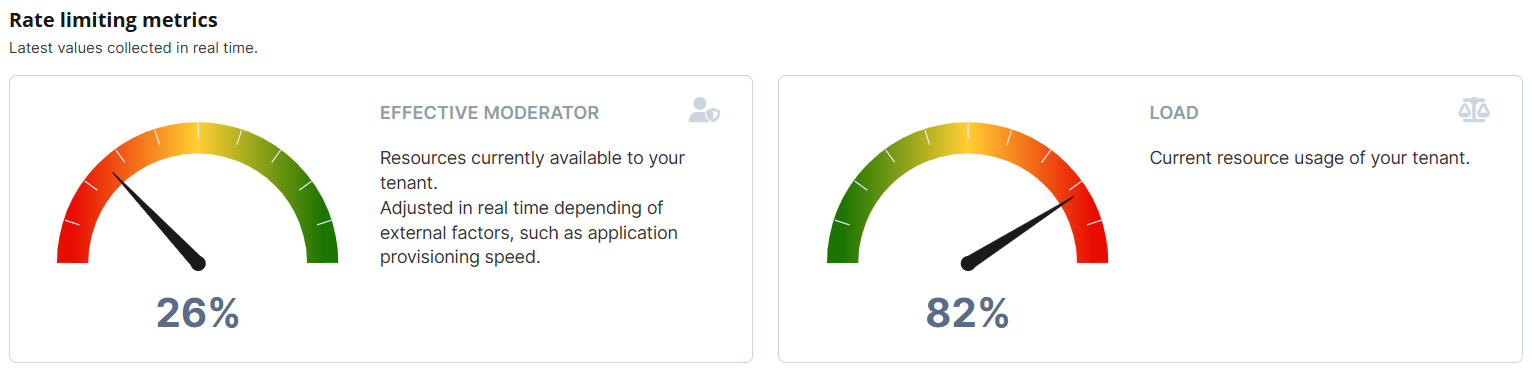
Counters view: Effective Moderator and Load
List
The "list" section displays Distributed Batches. We show the monitoring of batches currently being executed.
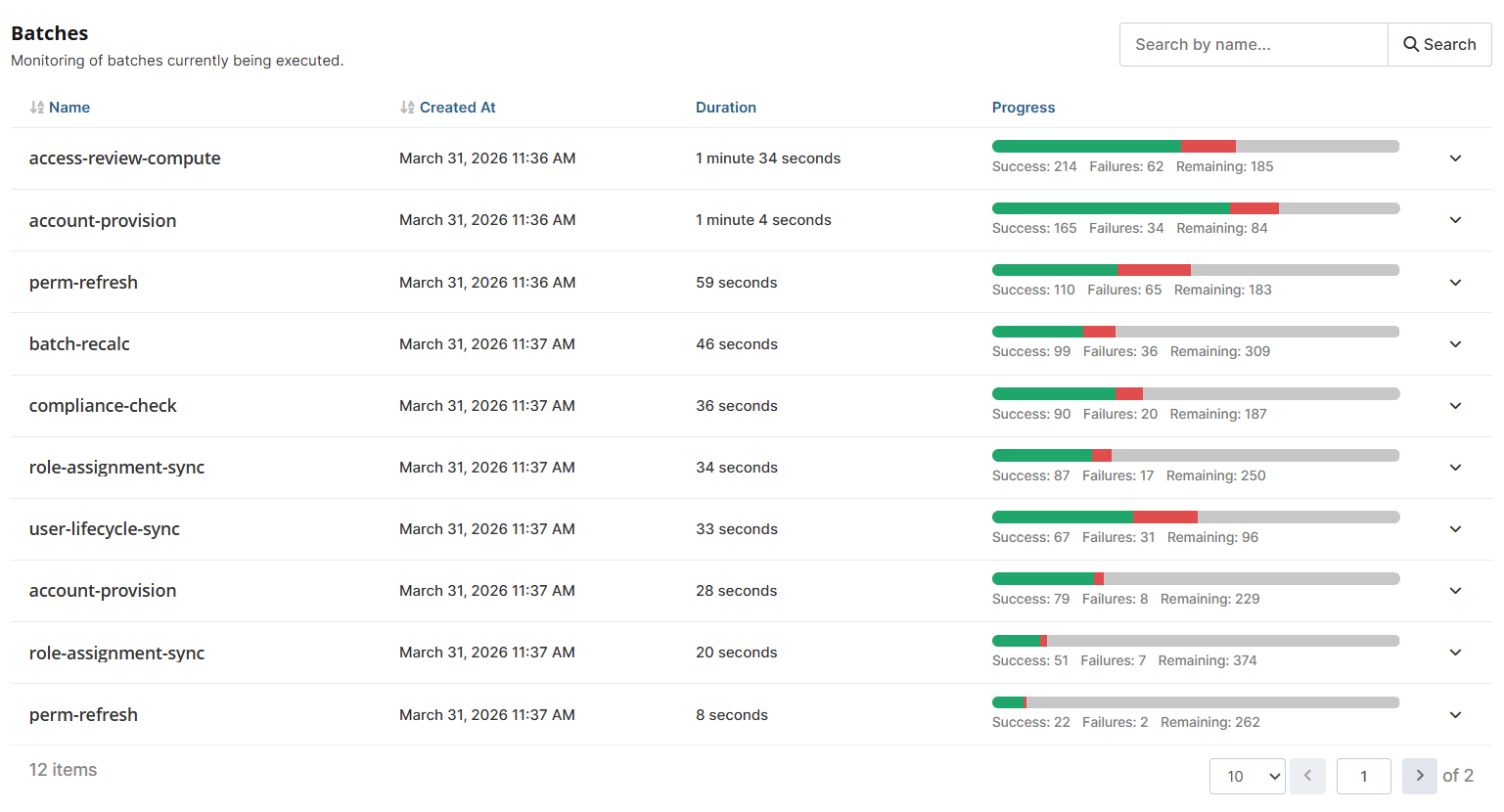
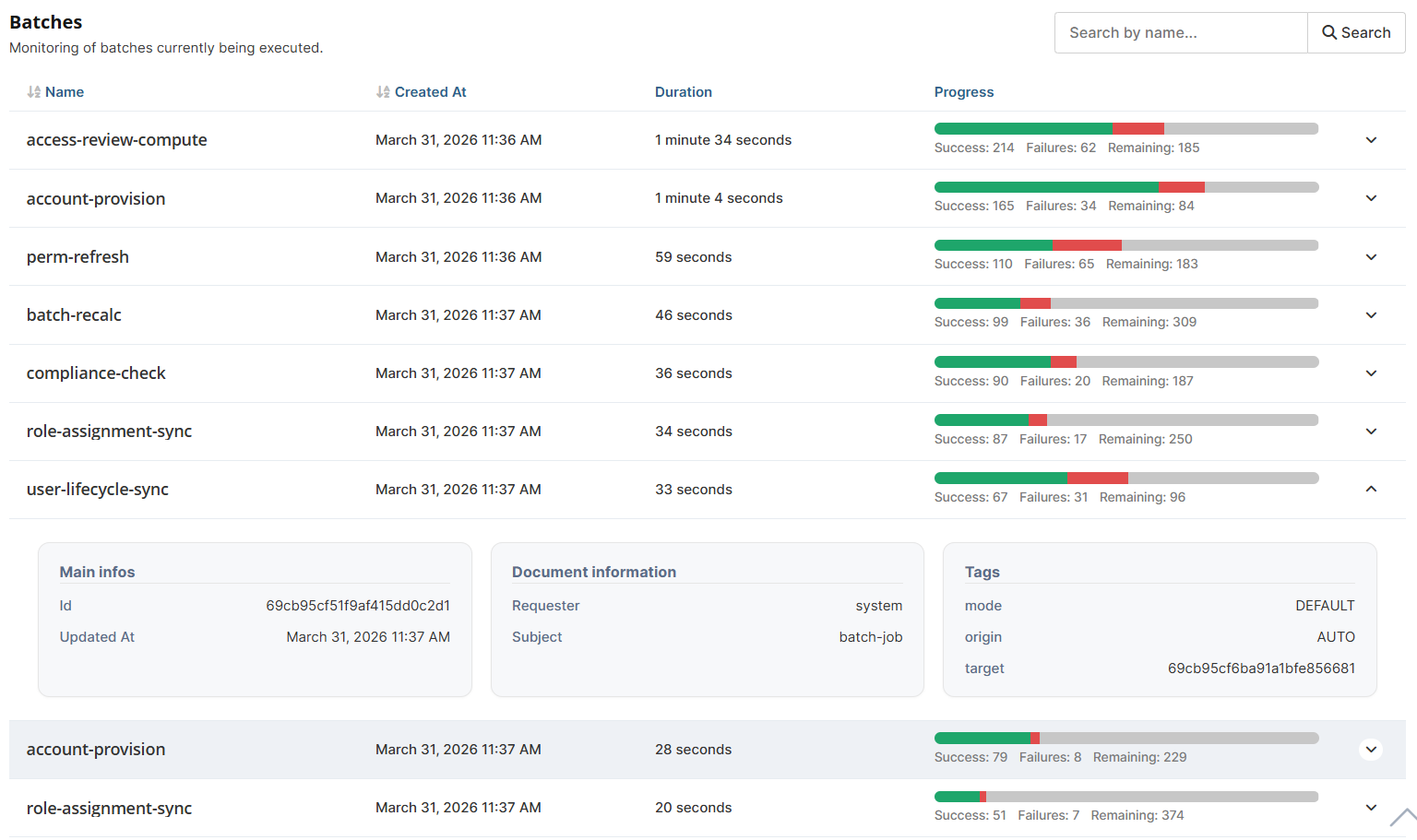
List view: For each Batch, we display all this information
2) History tab
You can filter your data using the provided filter.
However, you cannot filter for a period longer than 12 months (1 year).

The filter is blocked for a period > 12 months
XY Chart
The "XY Chart" section displays the Rate limiting history. We show the evolution of the load and effective moderator over time.
If you choose to filter for a period longer than 1 hour, the XY Chart will group the data points by hour, with an aggregation that displays the "maximum load" and "maximum effective moderator" for each hour.
If you choose to filter for a period of 1 hour or less, the XY Chart will display all data points for the selected time period.
You can click on the legend to hide/show the load and effective moderator curves.
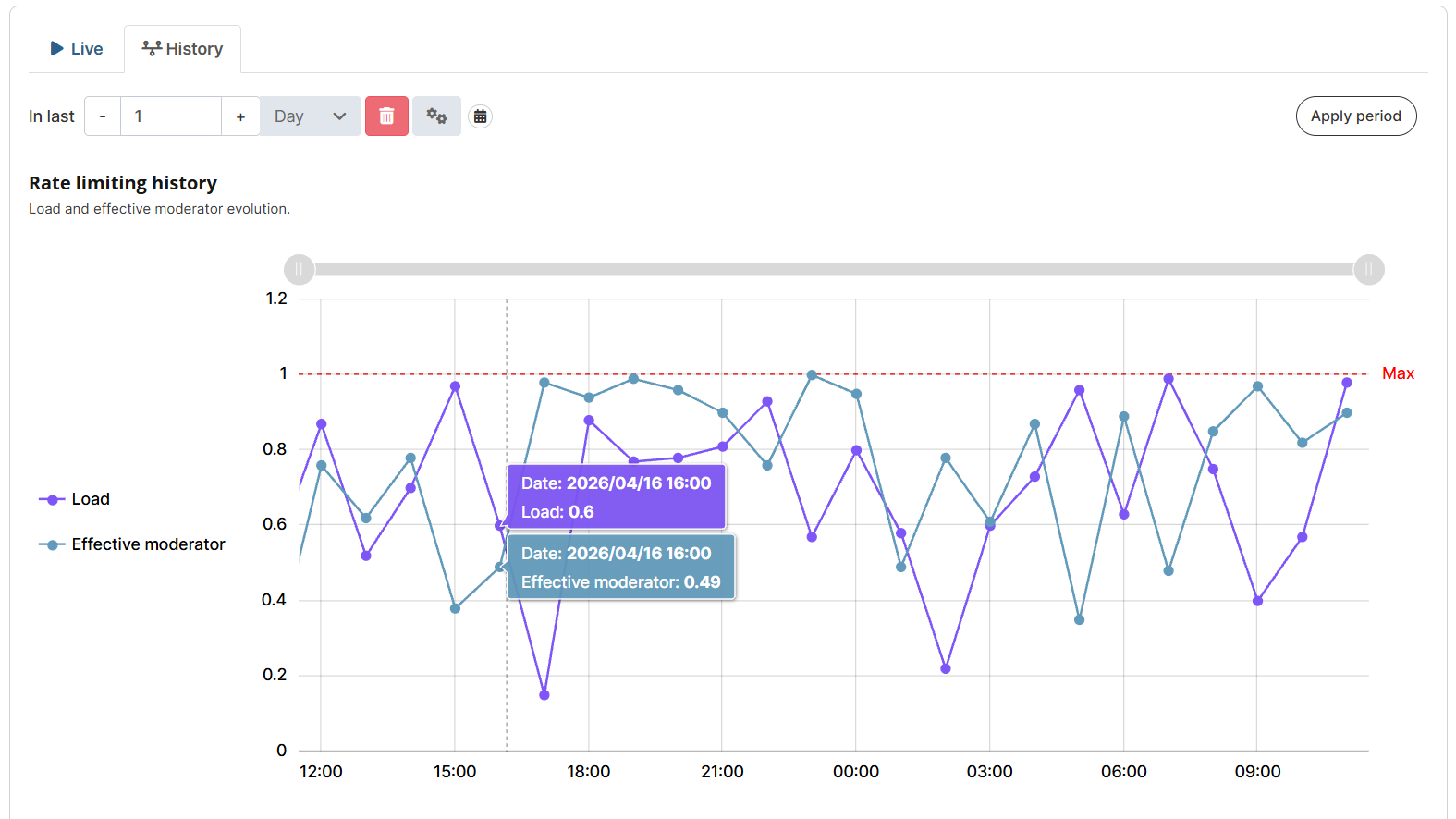
XY Chart view: Filter for one day (points grouped by hour with aggregation on maximum load and maximum effective moderator)
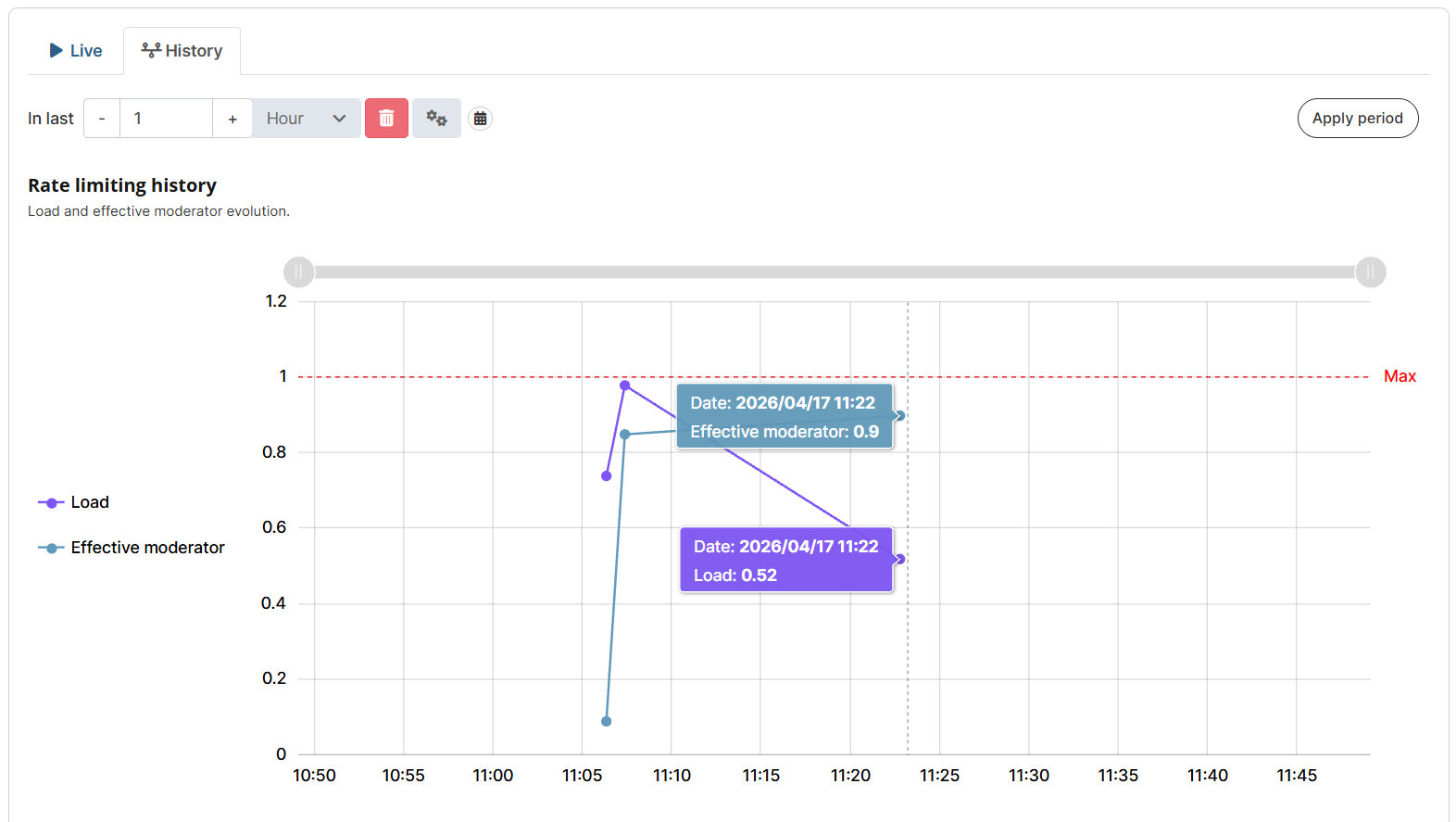
XY Chart view: Filter by hour (displays all points during that hour)
Gantt Chart
The "Gantt Chart" section corresponds to the Distributed batches history. It displays the execution durations of completed batches.
The Gantt Chart thus displays the completed batches from the most recent to the oldest.
Batches marked in green indicate that the batch was 100% successful.
Batches marked in red indicate that the batch had at least one failure.
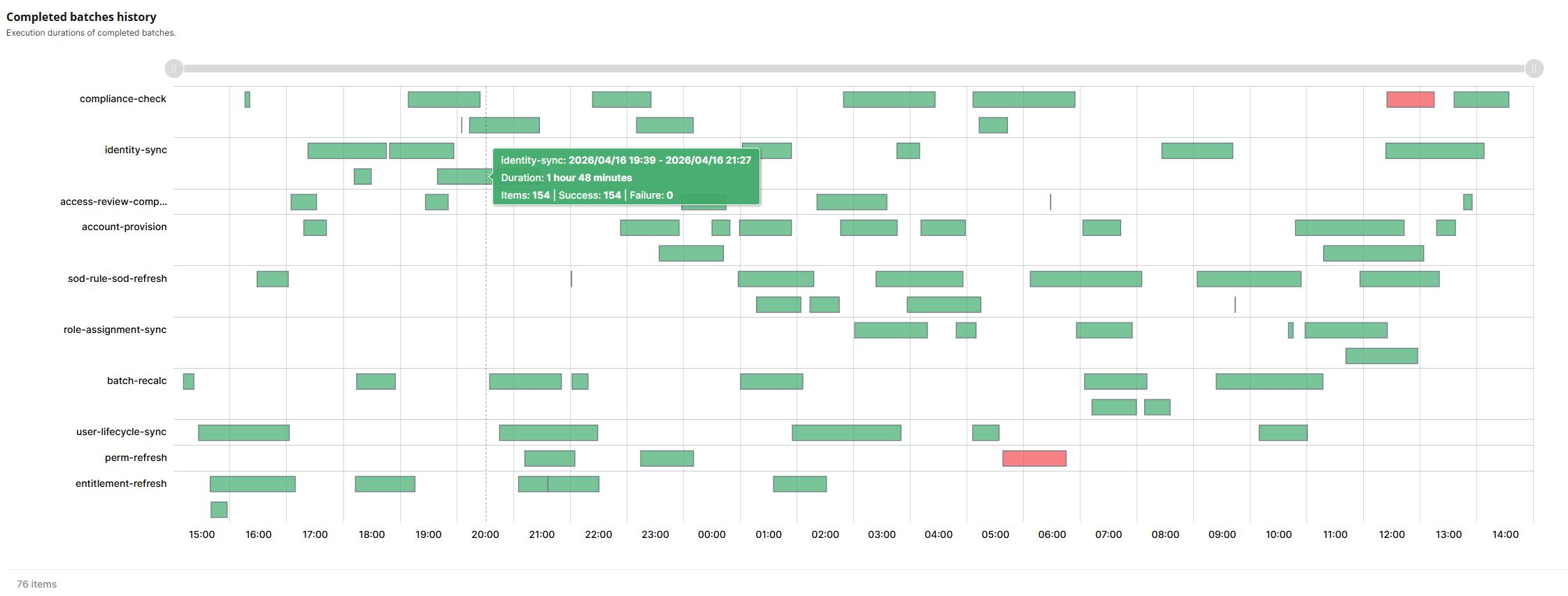
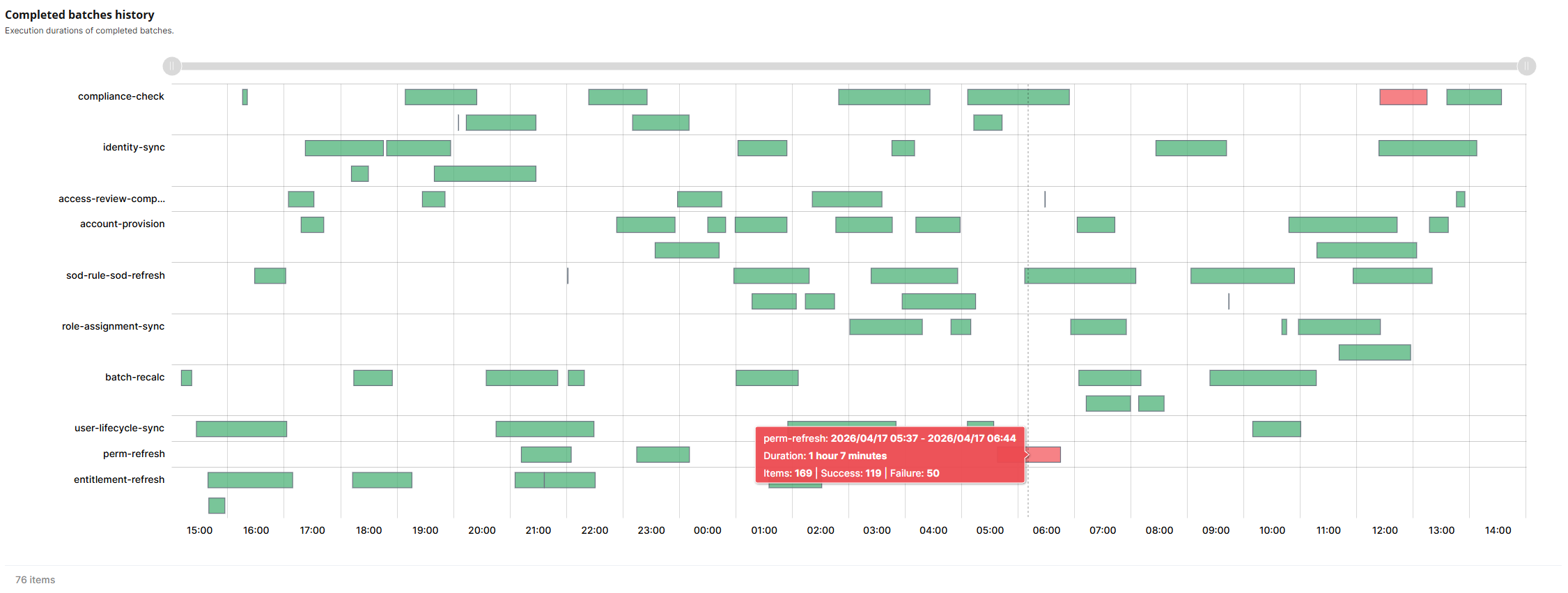
Gantt Chart view: Displaying batches for the given period
Chart synchronization
The two charts (XY and Gantt) are bidirectionally synchronized at the ScrollbarX and CursorX levels. They share the exact same X-axis, based on the date.
Therefore, if you zoom in or out on one of the charts:
Via the scrollbar at the top of each chart (by hover your mouse over the scrollbar, you will be able to see the time period you are currently viewing).
Via the cursor directly within the chart.
The zoom will then be applied to the other chart.
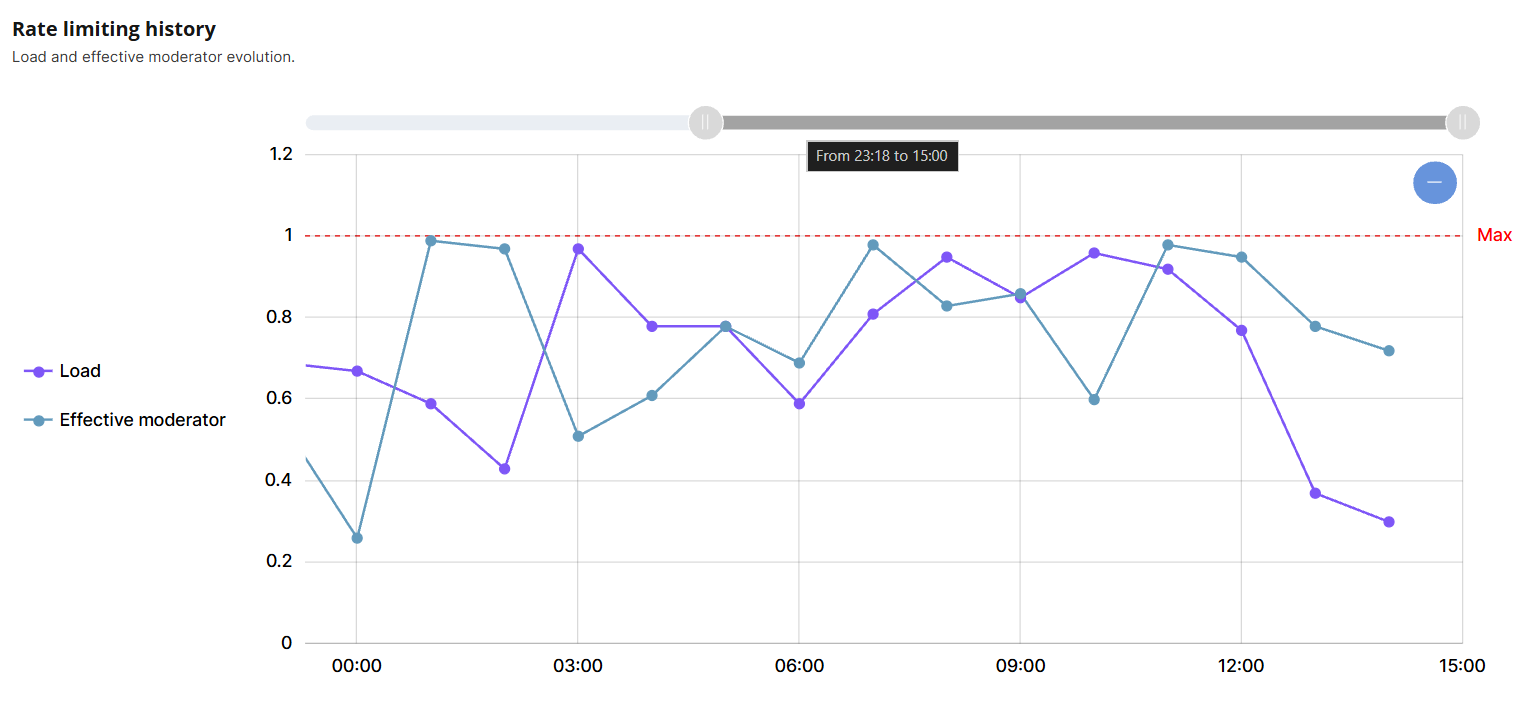
XY Chart view: 23:18 to 15:00
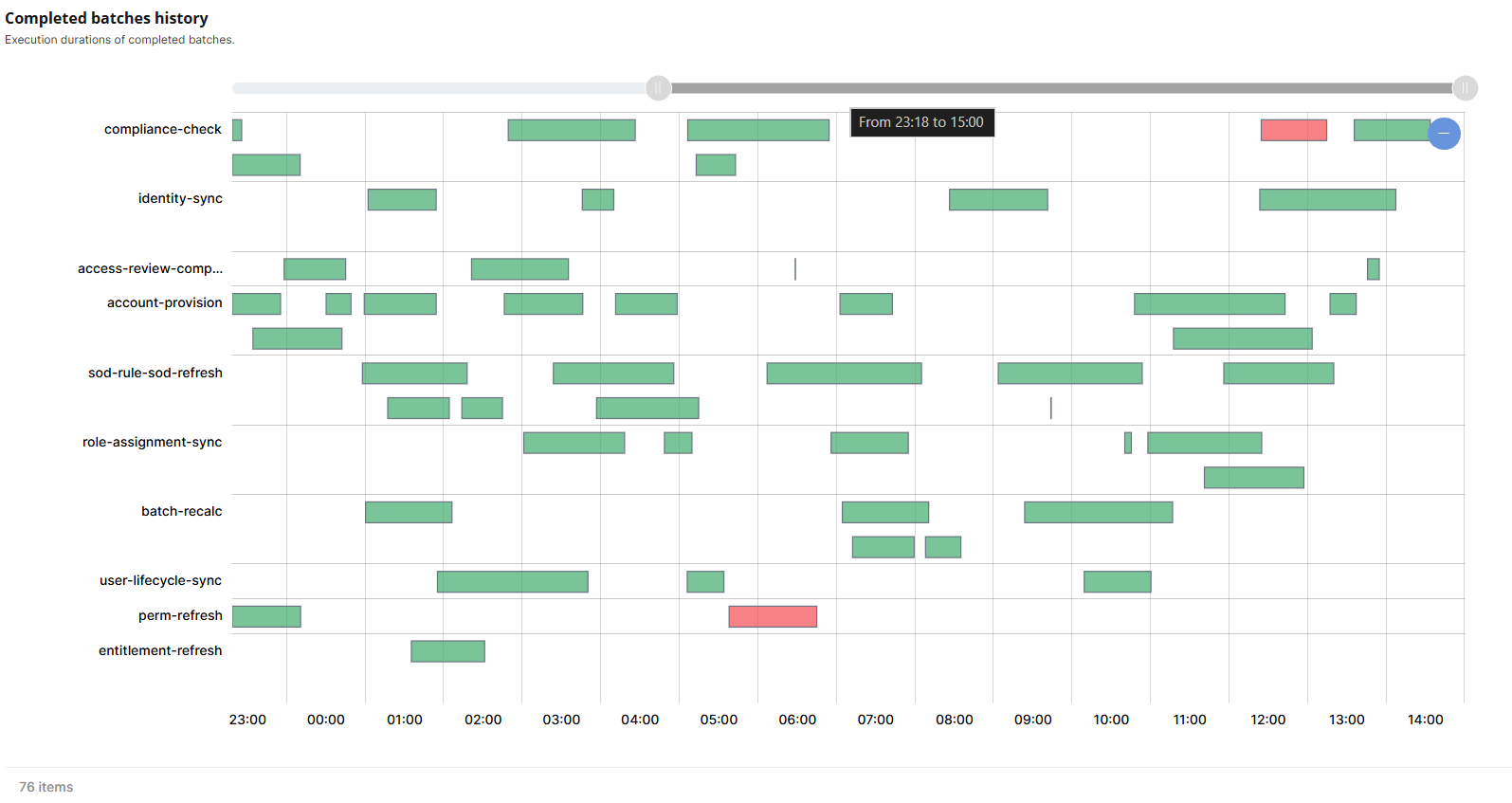
Gantt Chart view: 23:18 to 15:00