
Memority IdP Federation Certificates
Memority provides several federation certificates to sign SAML assertions and OAuth2/OpenID Connect tokens.

You are free to use any of the certificates detailed below for your federation.
However, keep in mind that certificates expire and must be updated on both the Memority side and the application side to keep the federation operational.
This page describes the available federation certificates and the steps to manage and maintain these certificates over time.
Certificates Overview
All certificates have a 5-year validity period and new ones are generated annually. This allows assigning a full 5-year lifetime certificate to any new federation.
Memority generates two certificate types each year:
RSA 3072 with SHA 256 certificate used as the default certificate
RSA 2048 with SHA 256 certificate used for retrocompatibility with legacy applications

We recommend using the default certificate RSA 3072 with SHA 256 whenever possible.
In total, 10 certificates are available at a time. However, you don’t need to manually select a certificate when configuring a federation. Memority automatically uses the newest RSA 3072 certificate as the default for any new federation.
Generation date | RSA 3072 Certificate | RSA 2048 Certificate |
|---|---|---|
Year n-4 | Certificate used for compatibility with federations created in year n-4 | Certificate used for compatibility with federations created in year n-4 |
Year n-3 | Certificate used for compatibility with federations created in year n-3 | Certificate used for compatibility with federations created in year n-3 |
Year n-2 | Certificate used for compatibility with federations created in year n-2 | Certificate used for compatibility with federations created in year n-2 |
Year n-1 | Certificate used for compatibility with federations created in year n-1 | Certificate used for compatibility with federations created in year n-1 |
Year n | Default certificate for all new federations | Certificate used for new federations with legacy applications |
Setting Up a New Federation
To federate a new application, use the federation widget that is usually available in the application features. Its usage is described in the Federation page.
In this section, you will find recommendations to set up a federation that complies with Memority’s certificate policy.
Identifier | Recommendation |
|---|---|
NF01 | Use OAuth2/OpenID Connect instead of SAML2 to create new federations. |
NF02 | Use the default certificate to ensure you are using the newest and safest certificate for your federation. |
OAuth2/OpenID Connect Federations
OAuth2/OpenID Connect natively supports certificate updates. No additional configuration is needed.
The available certificates are listed in the JWKS endpoint, which you can access from the federation interface.
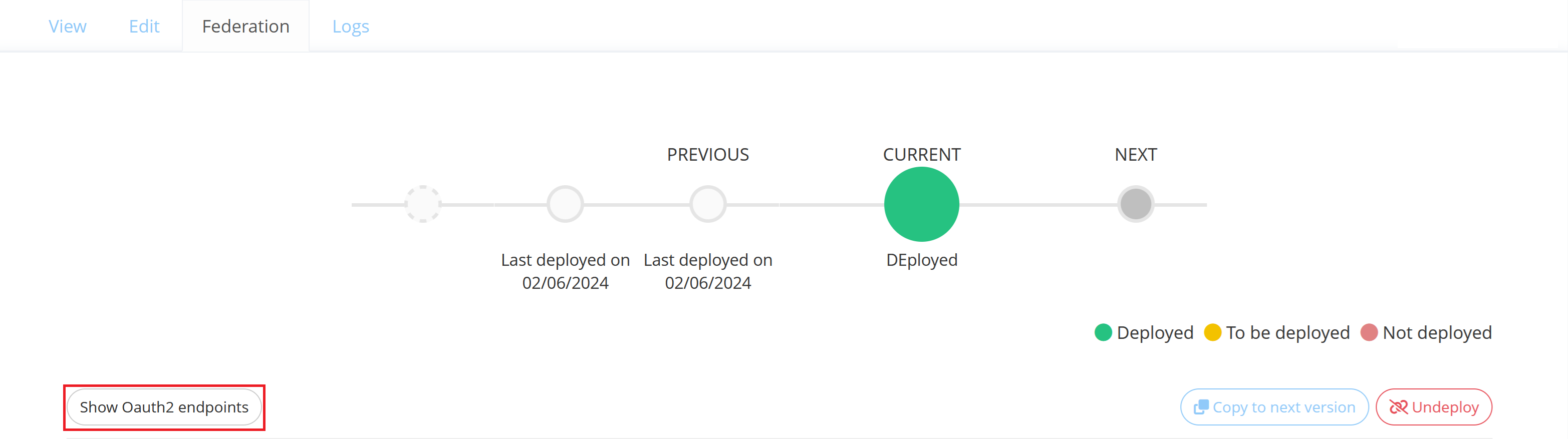
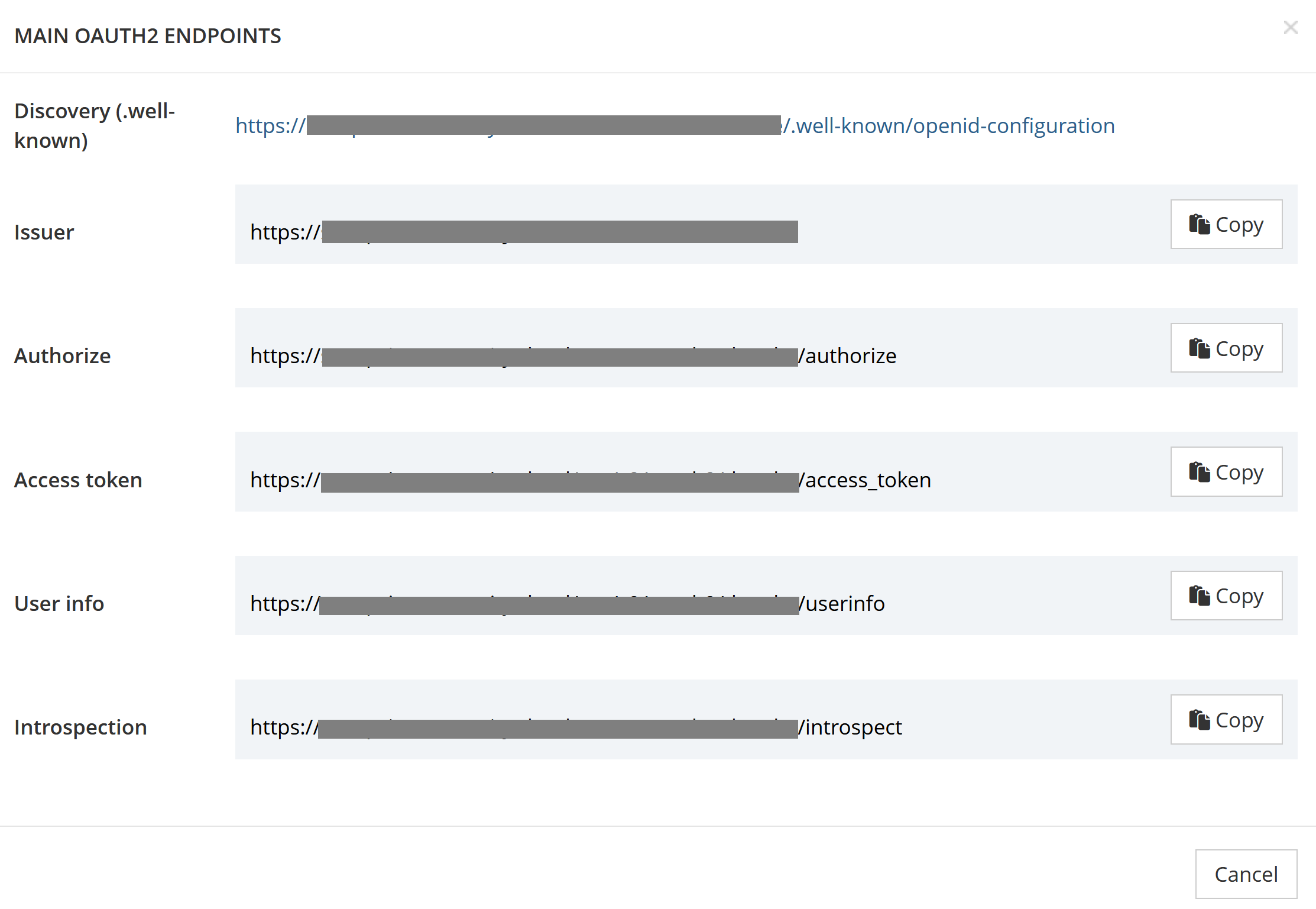
OAuth2/OpenID Connect endpoints
SAML & WS-Fed Federations
SAML and WS-Fed do not provide native mechanisms for certificate updates on expiration. However, some applications support URL metadata configuration.
These applications can pull IdP metadata from the URLs below, including certificates, and automatically update the used certificate on expiration.
Metadata URLs:
SAML
%YOUR_TENANT_URL%/sso/v2/saml2/metadata/metaAlias/%IDP_META_ALIAS%
For example: https://sso.tenant.memority.com/sso/v2/saml2/metadata/metaAlias/tenant/idp-b94c78b1-25c4-44ec-aa33-21ea64669130
WS-Fed
%YOUR_TENANT_URL%/sso/v2/wsfed/metadata/metaAlias/%IDP_META_ALIAS%
For example: https://sso.tenant.memority.com/sso/v2/wsfed/metadata/metaAlias/tenant/idp-b94c78b1-25c4-44ec-aa33-21ea64669130
Identifier | Recommendation |
|---|---|
NF03 | Use SAML/WSFed metadata URL configuration whenever possible: it will provide automatic certificate updates upon its expiration |
If the application doesn’t support metadata URLs, set your federation as usual. You will need to manually update the federation to change the certificate after 5 years.
Updating a Federation
When the federation’s certificate is about to expire, you need to update it to keep the federation operational.
Monitoring Certificate Expiration
Each federation displays the certificate currently in use together with its expiration date in the Advanced Configuration section. If the certificate is about to expire, a warning message appears above the federation configuration.
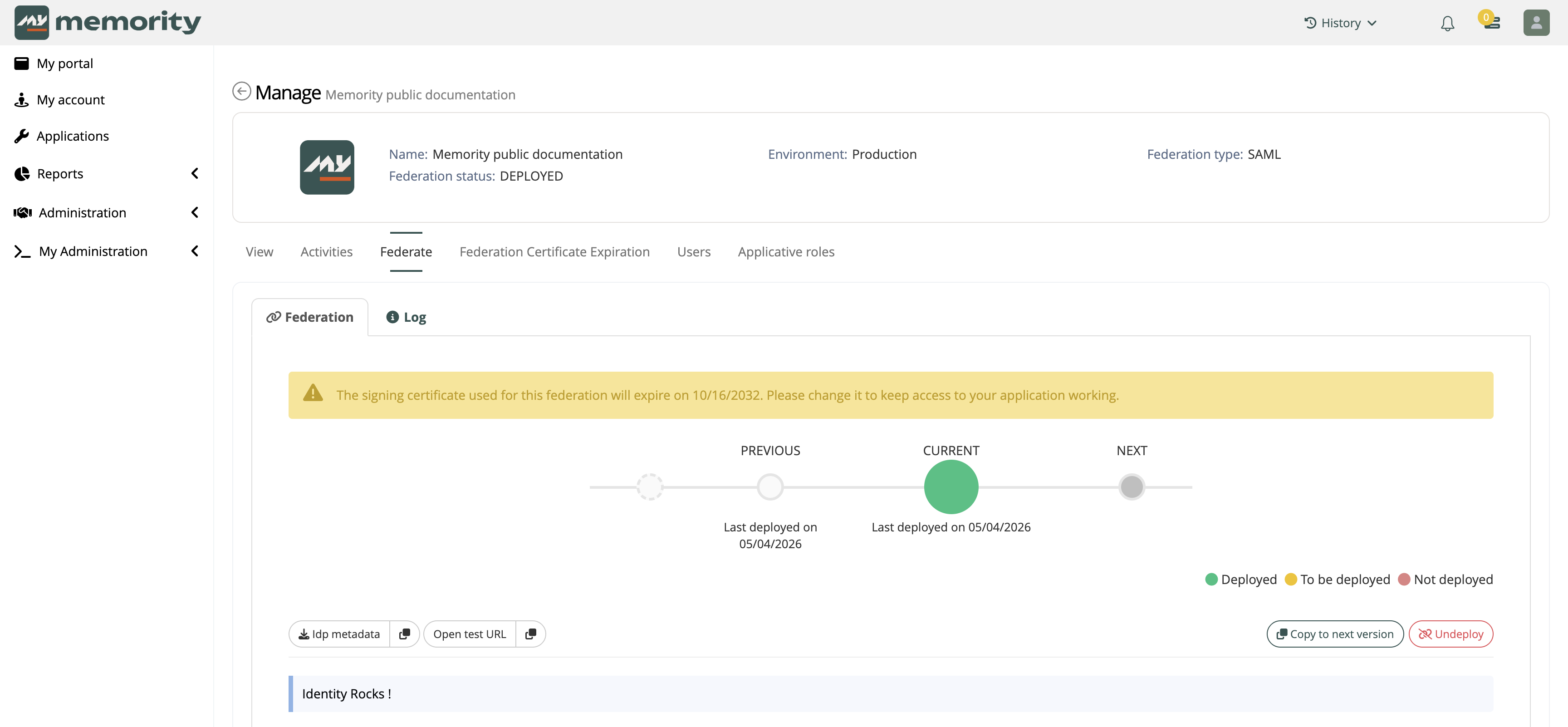
Warning message about the federation’s certificate expiration
Reporting Dashboards
Memority provides a dedicated reporting view for certificate expiration monitoring directly available in the reporting section of the menu.
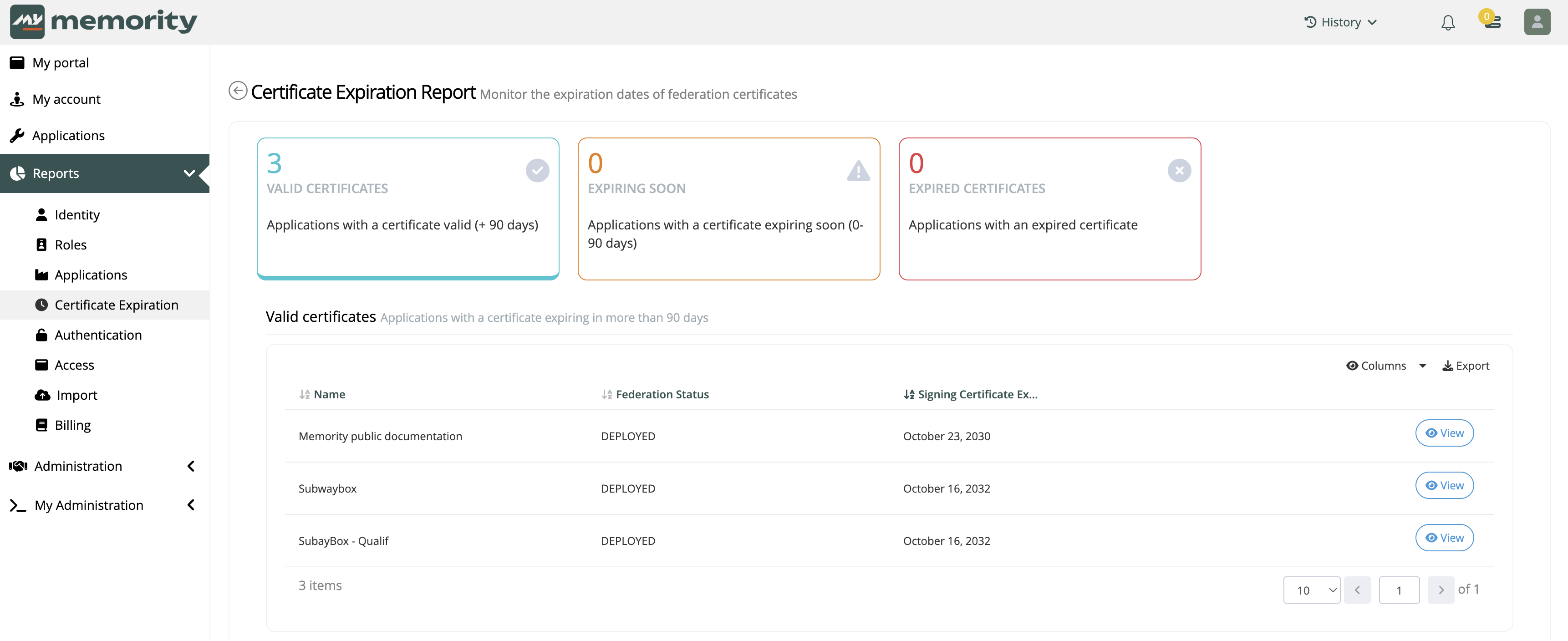
Certificate Expiration report
It shows the status of certificates for all applications in real time. Three counters are displayed:
Valid certificates : Certificates expiring in more than 90 days
Certificates expiring soon : Certificates expiring within 90 days
Expired certificates : Certificates that have not been renewed
By clicking on each counter, the user can view a detailed list of the affected applications and the date of the certificate’s expiration. And clicking on the view button redirects the user to the application cockpit where you can find the federation certificate expiration date in the view tab as well as other general or technical information.
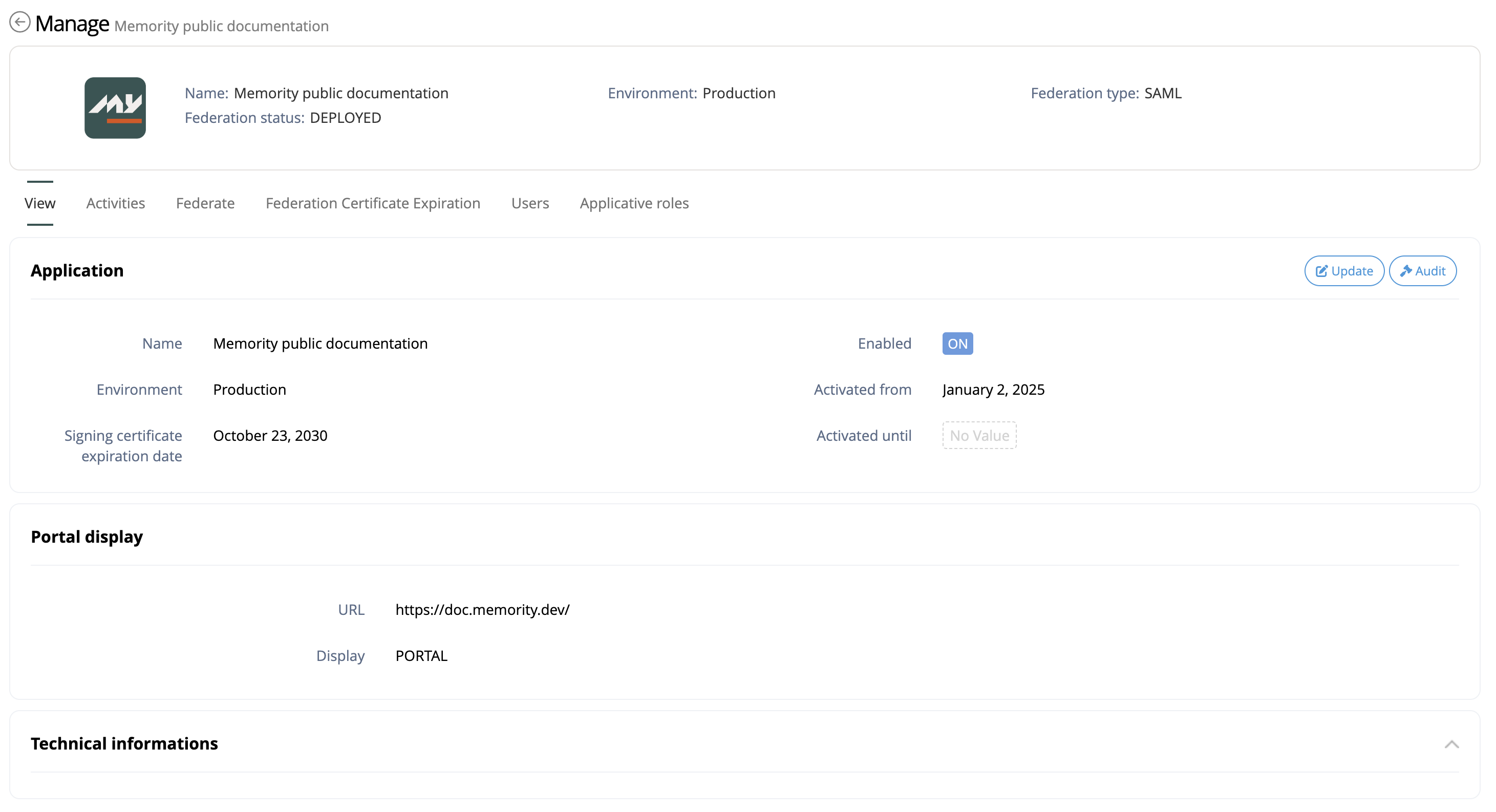
Signing certificate expiration date is displayed in the view tab of the application cockpit
Note: The federation certificate’s expiration date only appears on applications that have a deployed federation. Applications without a federation or with never-deployed federations will not be displayed in the dashboard.
Automated Notifications
Memority sends automatic email notifications to administrators at key intervals before certificate expiration.
Timing | Notification Type |
|---|---|
90 days before expiration | Standard warning |
45 days before expiration | Standard warning |
15 days before expiration | Urgent warning |
1 day before expiration | Critical warning |
Upon receiving a notification, access the application cockpit using the provided link and follow the appropriate update procedure based on application capabilities (see sections below).
Identifier | Recommendation |
|---|---|
UF01 | Set a governance process to monitor and detect federation’s certificate expiration using Memority monitoring tools. |
UF02 | Begin the federation update process as soon as you detect the certificate expiration: when a certificate expires, it can impact several federations and generate additional work for both administrators and application owners. |
Updating OAuth2/OpenID Connect Federations
OAuth2/OpenID Connect federations do not require any specific update procedure. Certificate updates are handled automatically through the JWKS endpoint.
Updating SAML Federations
When a SAML federation certificate is approaching expiration, we recommend contacting the application’s owner to inform them about the expiration, the updates they need to do, and to verify the application capabilities.
Based on the information you receive, you can select the best update scenario from the following:
Identifier | Application capacity | Recommendation |
|---|---|---|
UF03 | The application supports OAuth2/OpenID Connect | Switch the federation to OAuth2/OpenID Connect and benefit from automatic certificate management |
UF04 | The application supports SAML metadata URLs | |
UF05 | The application’s owner is known and available | |
UF06 | The application’s owner is unknown, unavailable, works through an integrator or requires more time |
The procedures below describe how to update a federation depending on the chosen recommendation.
Switching to OAuth2/OpenID Connect
Step | Screenshot | |
|---|---|---|
| 1 | Create a new application and set the OAuth2/OpenID Connect federation | 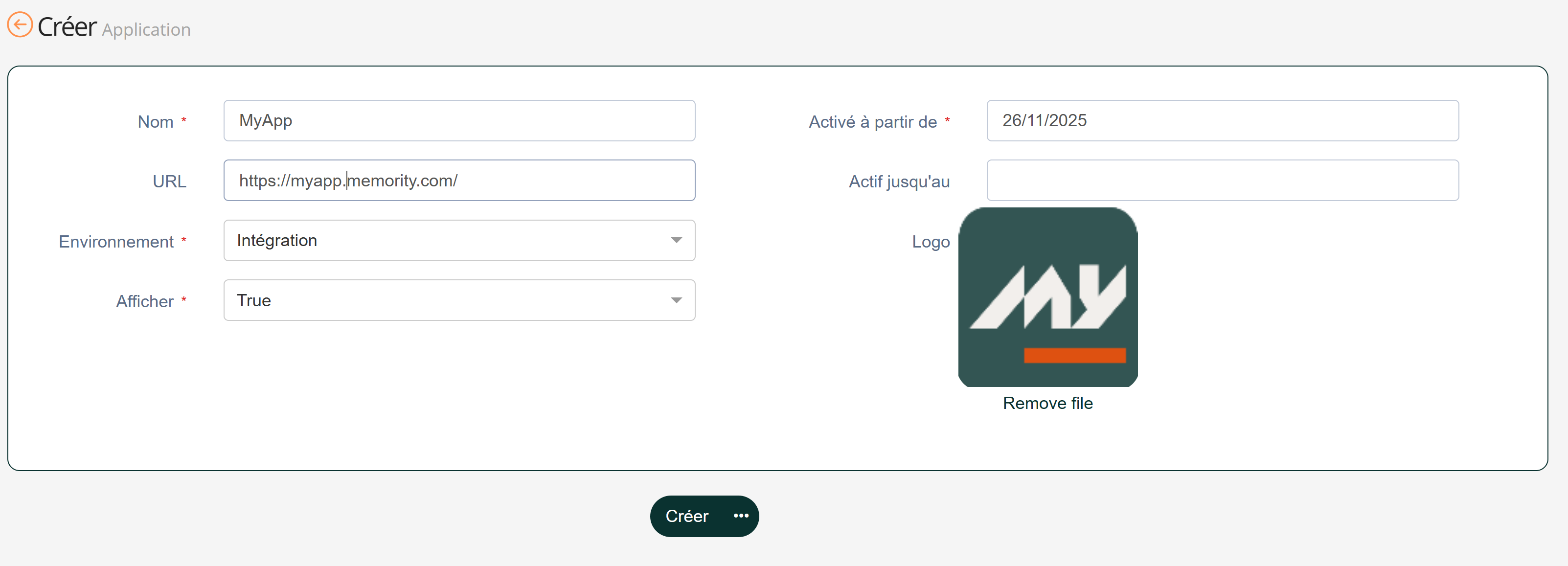 |
| 2 | Add the required access rights to the application roles so that users can see the application | 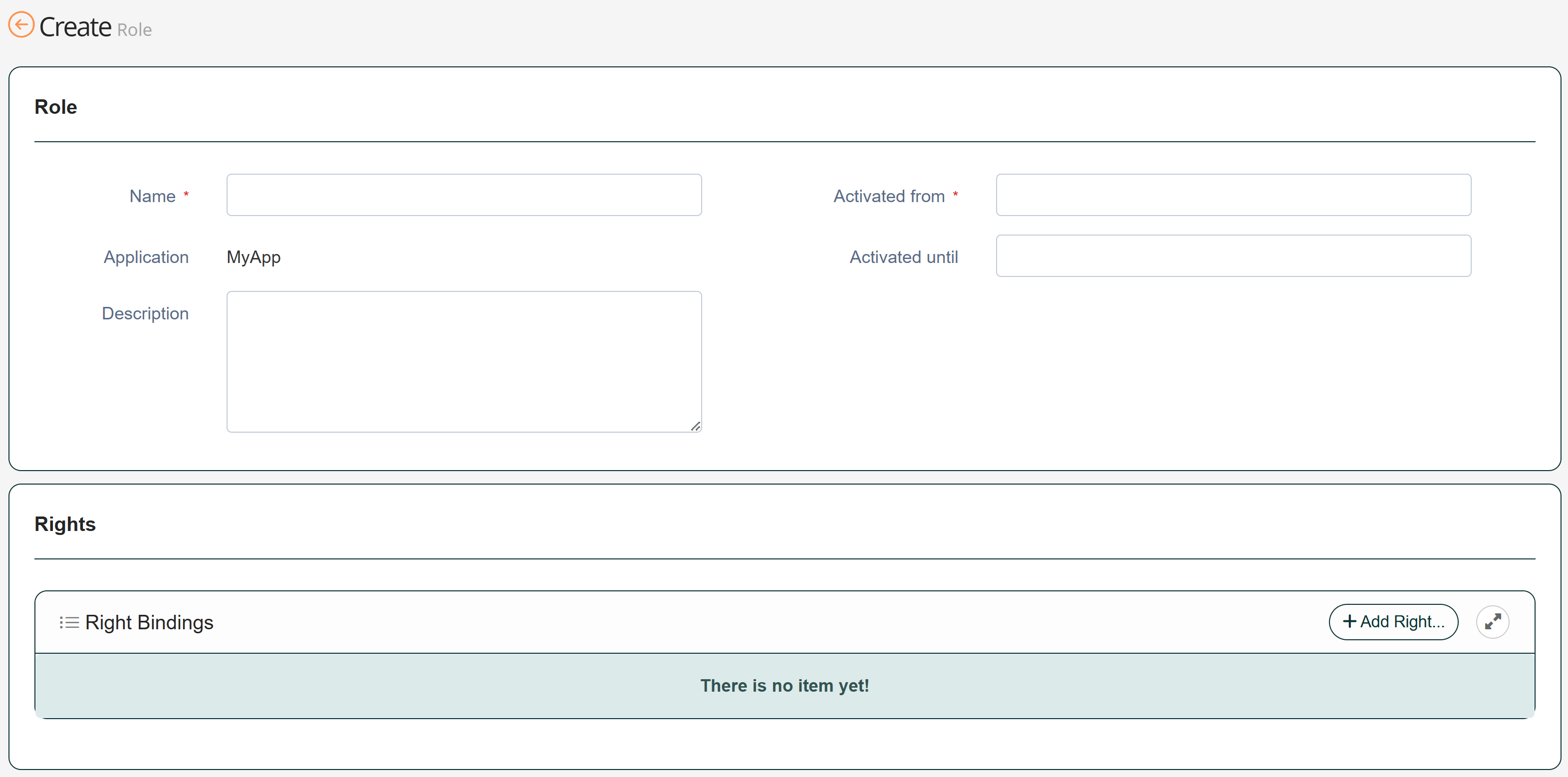 |
| 3 | Set the federation for the new application | 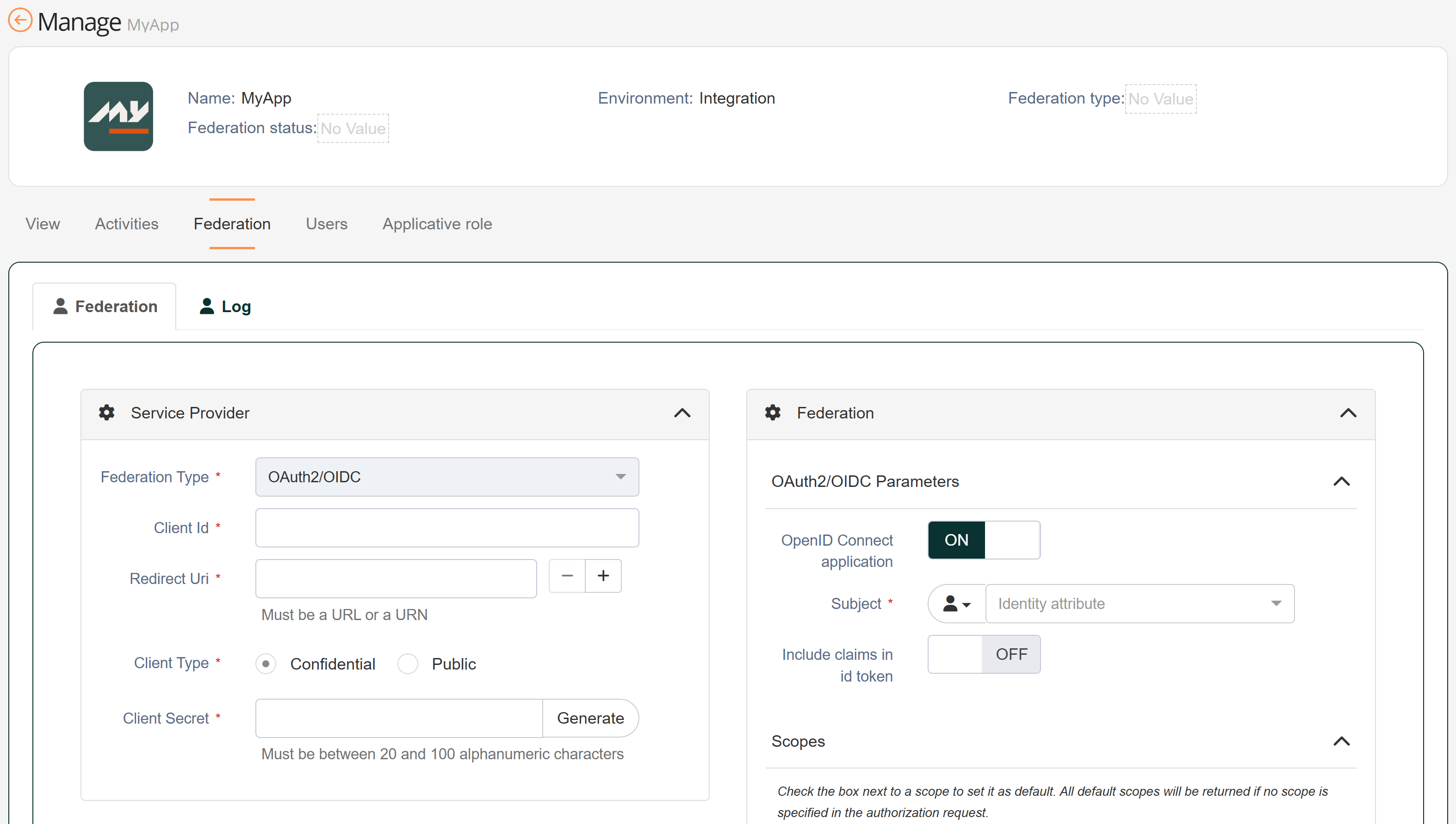 |
| 4 | Disable the legacy application |  |
| 5 | Remove legacy access rights from the application roles | |
Switching to SAML Metadata URL Configuration
Step | Screenshot | |
|---|---|---|
| 1 | From the existing federation, retrieve the metadata URL and send it to the application |
|
| 2 | Configure the application’s federation using the URL metadata |
Performing a Synchronous Certificate Update

In this procedure, the federation will be unavailable between steps 1 and 3.
This operation usually lasts several minutes. However, make sure you save the previous configuration to allow rollback if necessary.
Step | Screenshot | |
|---|---|---|
| 1 | In the existing federation, switch to the newest certificate (RSA 3072 recommended) | 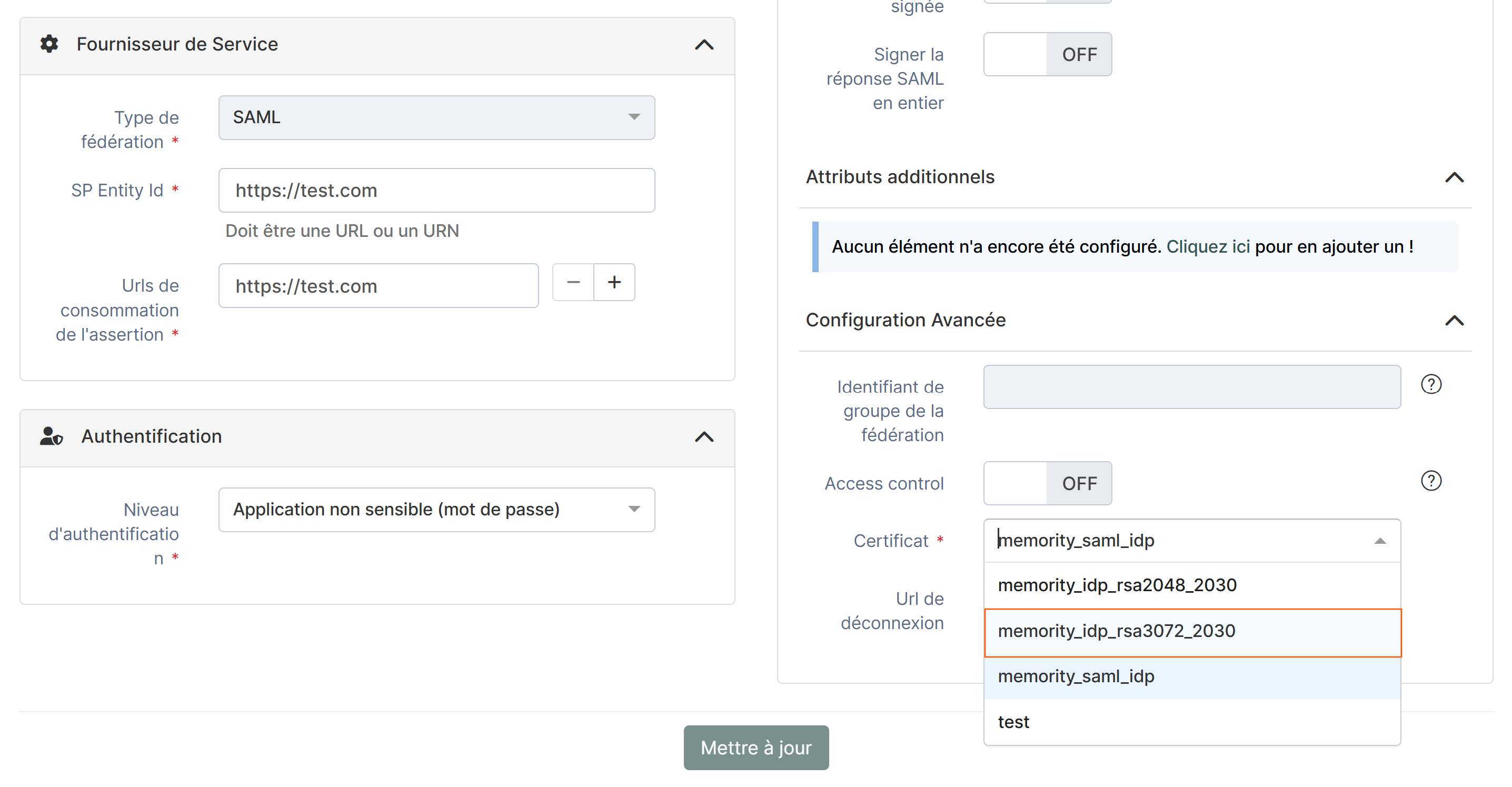 |
| 2 | Export the IdP metadata from the federation widget and send it to the application | 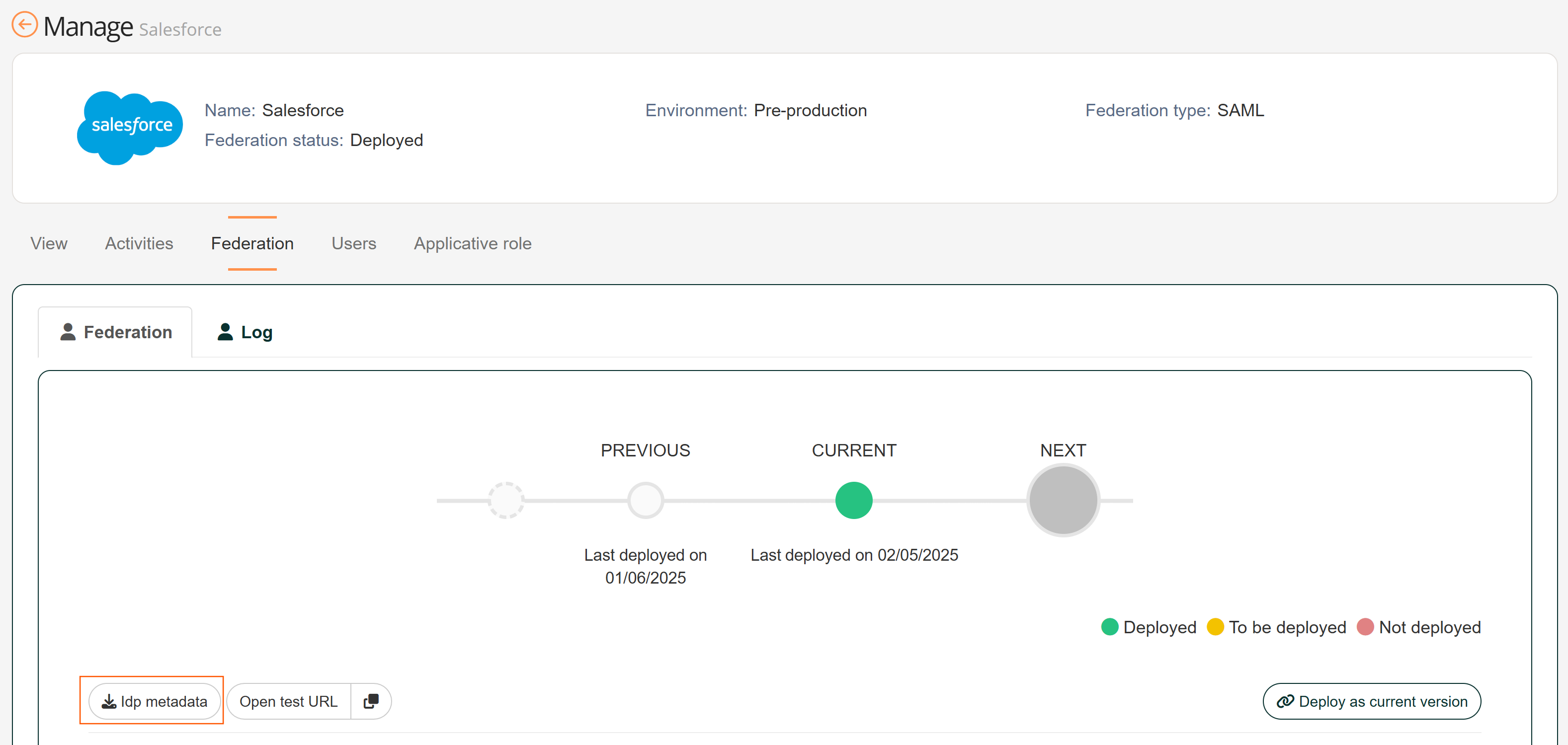 |
| 3 | Configure the application federation using IdP metadata |
Performing an Asynchronous Certificate Update
Step | Screenshot | |
|---|---|---|
| 1 | Create a new application and configure a SAML federation using the newest certificate | |
| 2 | Add the relevant access rights to the application roles so users can see the application | |
| 3 | Set the federation for the new application | 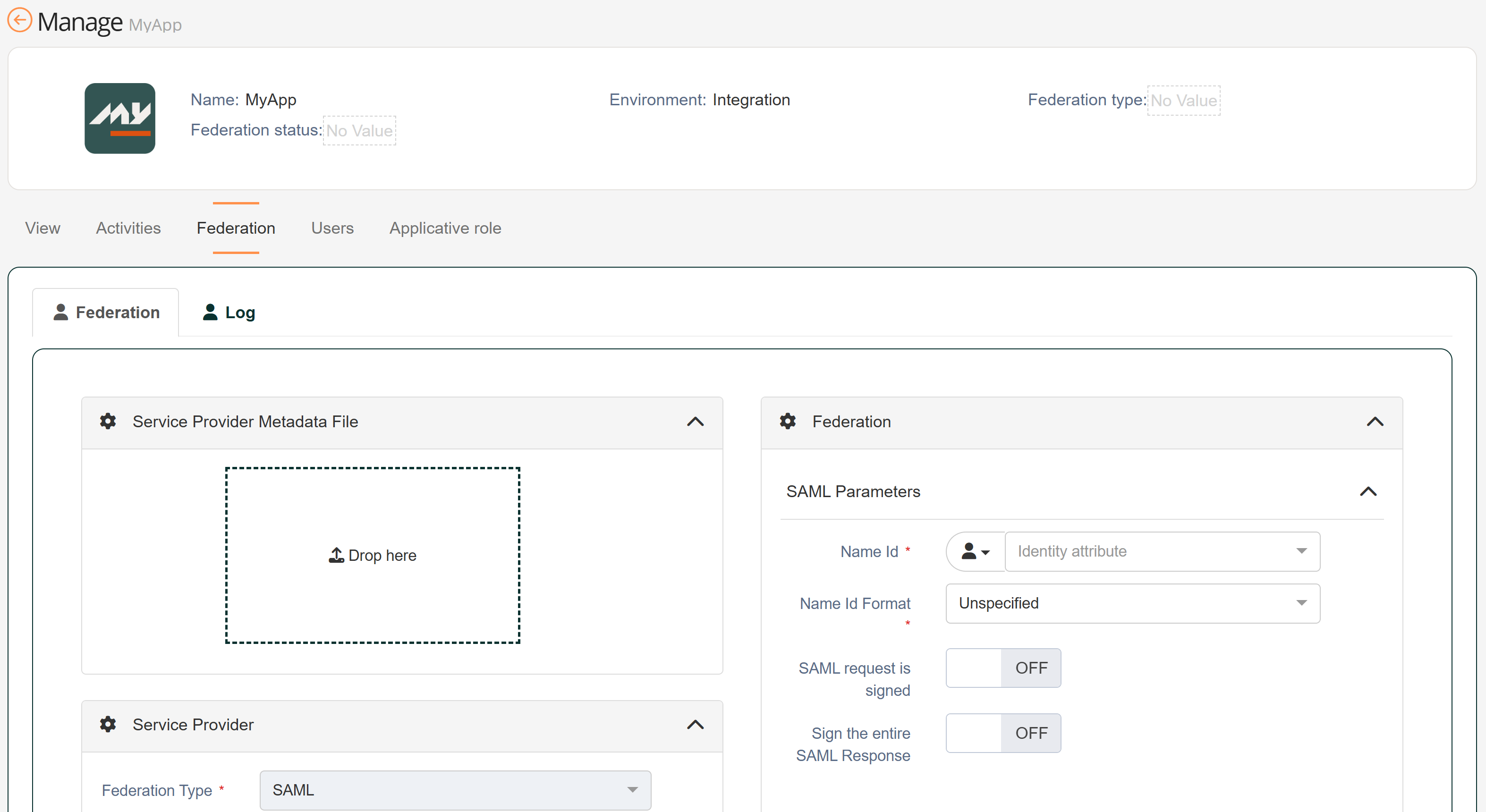 |
| 4 | Disable the legacy application | |
| 5 | Remove legacy access rights from the application’s roles | |
Recommendations
This list contains all the recommendations described on this page.
Identifier | Use case | Recommendation |
|---|---|---|
NF01 | Set federation | Use OAuth2/OpenID Connect instead of SAML2 to create new federations. |
NF02 | Set federation | Use the default certificate to ensure you are using the newest and safest certificate for your federation. |
NF03 | Set SAML federation | Use SAML metadata URL configuration whenever possible: it will provide automatic certificate updates upon its expiration. |
UF01 | Update federation | Set a governance process to monitor and detect federation’s certificate expiration using Memority monitoring tools. |
UF02 | Update federation | Begin the federation update process as soon as you detect the certificate expiration: when a certificate expires, it can impact several federations and generate additional work for both administrators and application owners. |
UF03 | Update SAML federation The application is compatible with OAuth2/OpenID Connect | Switch the federation to use OAuth2/OpenID Connect and benefit from automatic certificate management. |
UF04 | Update SAML federation The application is compatible with SAML metadata URL configuration | Switch the federation to use SAML metadata URL configuration. |
UF05 | Update SAML federation The application owner is known and available | Perform a synchronous certificate update. |
UF06 | Update SAML federation The application owner is unknown, unavailable, works through an integrator or requires more time | Perform an asynchronous certificate update. |